Use cases

Six operational problems you can stop managing by hand.

These are not feature lists. They are six stories about work that depended on paper, fragmented information, constant calls, raw extracts or knowledge that was difficult to verify — and about the focused layer that changed it.

From declaration to accountable decision

WythinForge Scrap Control

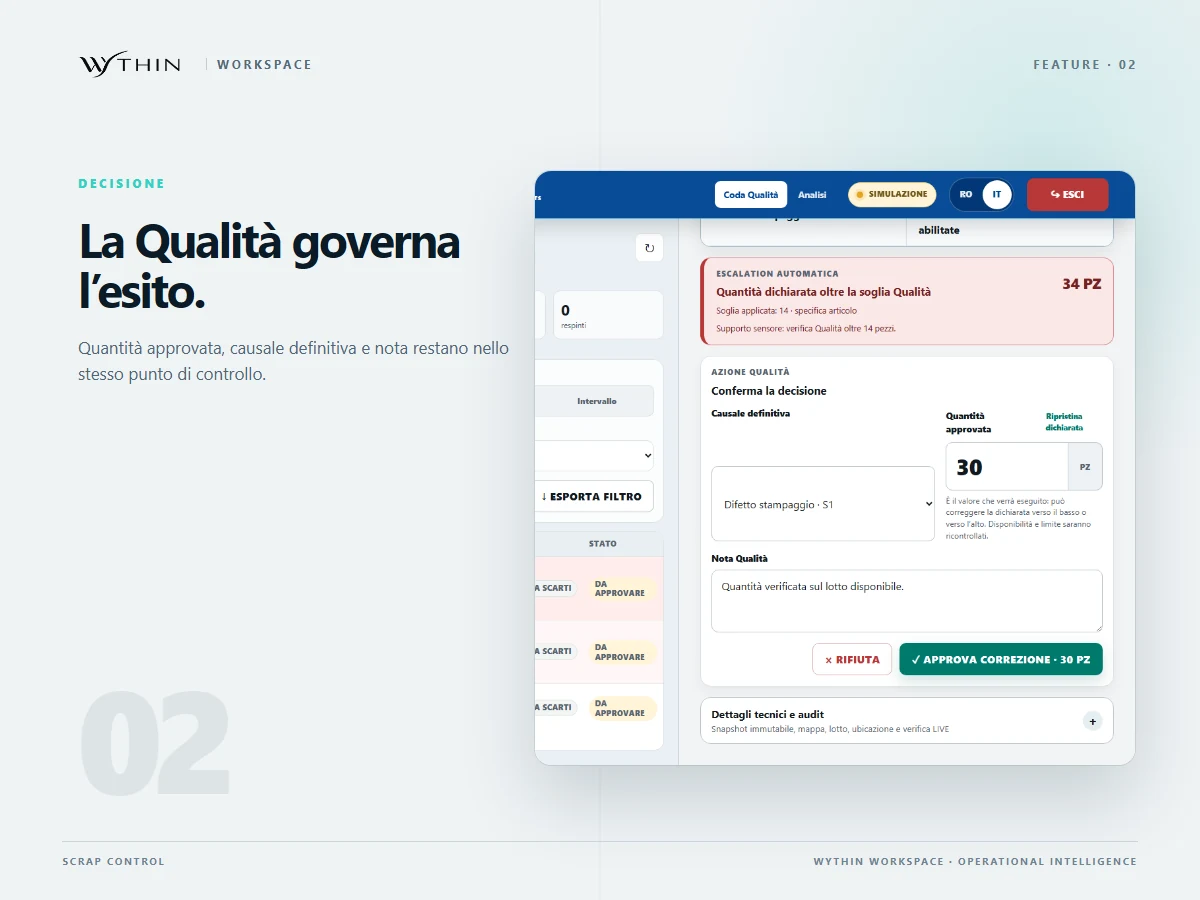
A sheet of paper used to carry the entire scrap process: item code, quantity, defect and an operator's handwriting. Scrap Control turned that fragile handoff into a guided, traceable flow inside the existing WMS process.
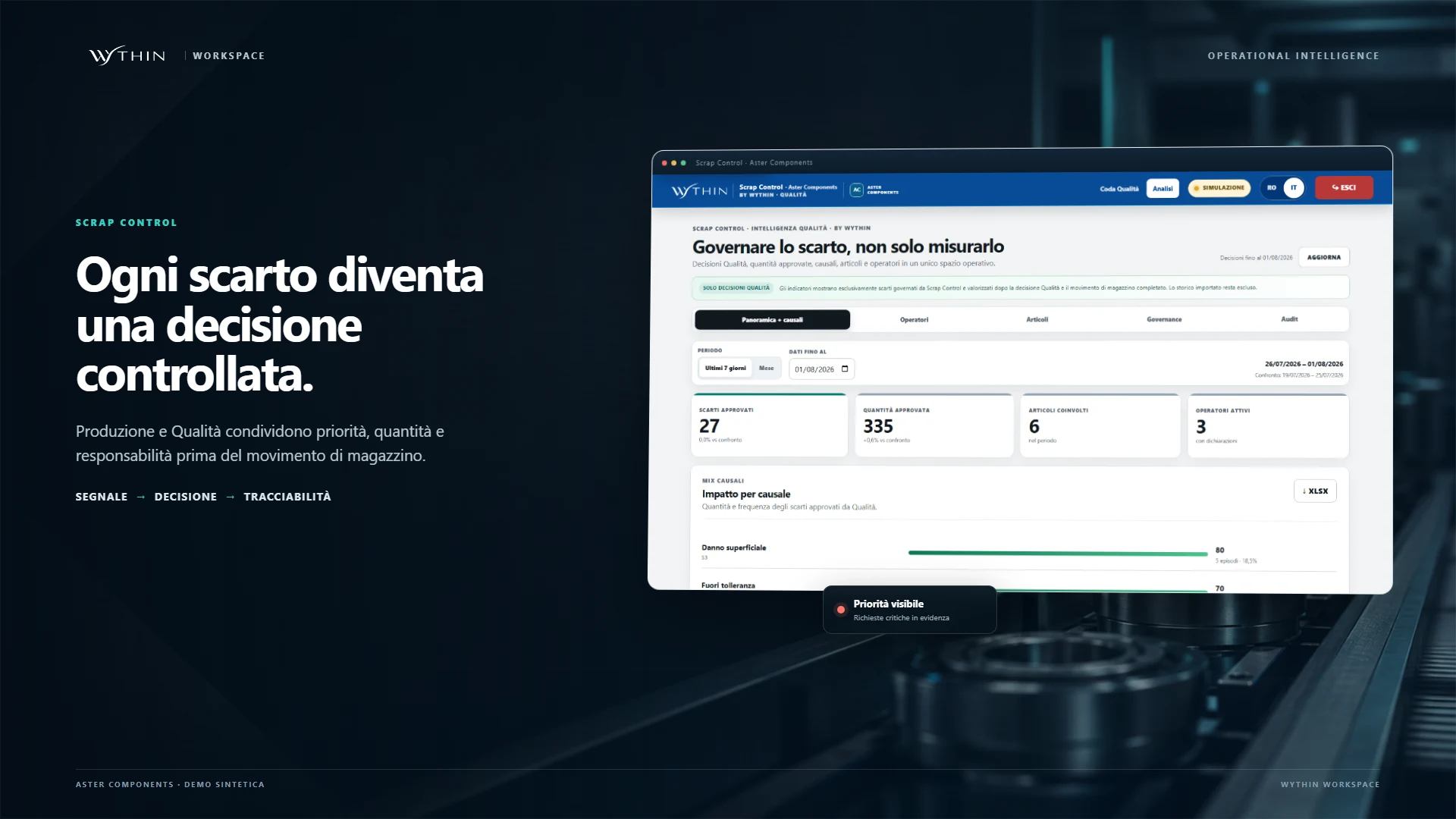
2 h/day → <10 minreported daily declaration time in this use caseOperational result supplied by Wythin. The published visuals use synthetic data.
Scrap Control dashboard and guided operator interface shown together in an industrial product composition
Scrap Control connects the operator station, the Quality decision queue and analytics without replacing the WMS.

The story

The process lived on paper

Operators declared scrap on loose sheets: material code, quantity and the defect they had found. That paper then travelled from production to Quality, carrying information that could be incomplete, hard to read or interpreted differently from one operator to the next.

The risk was not only a transcription error. Every sheet introduced waiting, a manual handoff and another place where traceability could break.

The burden moved to Quality

Quality then had to translate the paper into the WMS. The system was essential, but it had not been designed around this exact scrap workflow: completing a declaration meant moving across interfaces, performing several actions and manually searching the application to reconstruct the history.

Then Scrap Control arrived

Scrap Control entered the existing WMS process as an intelligent operational layer. At a production station, the operator signs in with personal credentials, scans the barcodes already present on the material and completes the declaration through a short guided path. The application can suggest the most likely defect while leaving the operator in control of the choice.

Quality sees each new declaration immediately and, with one action, can take ownership and decide how to handle it from a single queue. The WMS remains the system of record; Scrap Control orchestrates the actions needed to reach the result with less friction.

On-premise by design

The application runs on-premise, without public internet access, and operates only inside the company network. Data stays within the environment while operators receive the response speed expected from a production tool.

What happens now

  • Users and badges

    The administrator creates accounts, assigns roles and issues badges for fast, controlled station access.

  • Guided operator flow

    Operators declare scrap, review what they submitted and follow the status of every declaration.

  • Quality governance

    Quality monitors priorities, approves or rejects with a reason, and analyses scrap by cause, item and operator.

The essential product evidence

Only the most useful screens are shown. Product visuals use synthetic scenarios and may preserve the original Italian interface; customer outcomes remain separate from demo values.
From purchase order to shared supplier action

WythinForge Operation Partners

Operation Partners gives customer and supplier the same view of open purchase orders, real priorities and receiving labels — replacing chasing e-mails and parallel spreadsheets with one shared operational agreement.

Order → PDFpriority, preflight and print job in one flowThe showcase demonstrates print-job traceability with synthetic data; it does not represent printer-device telemetry.
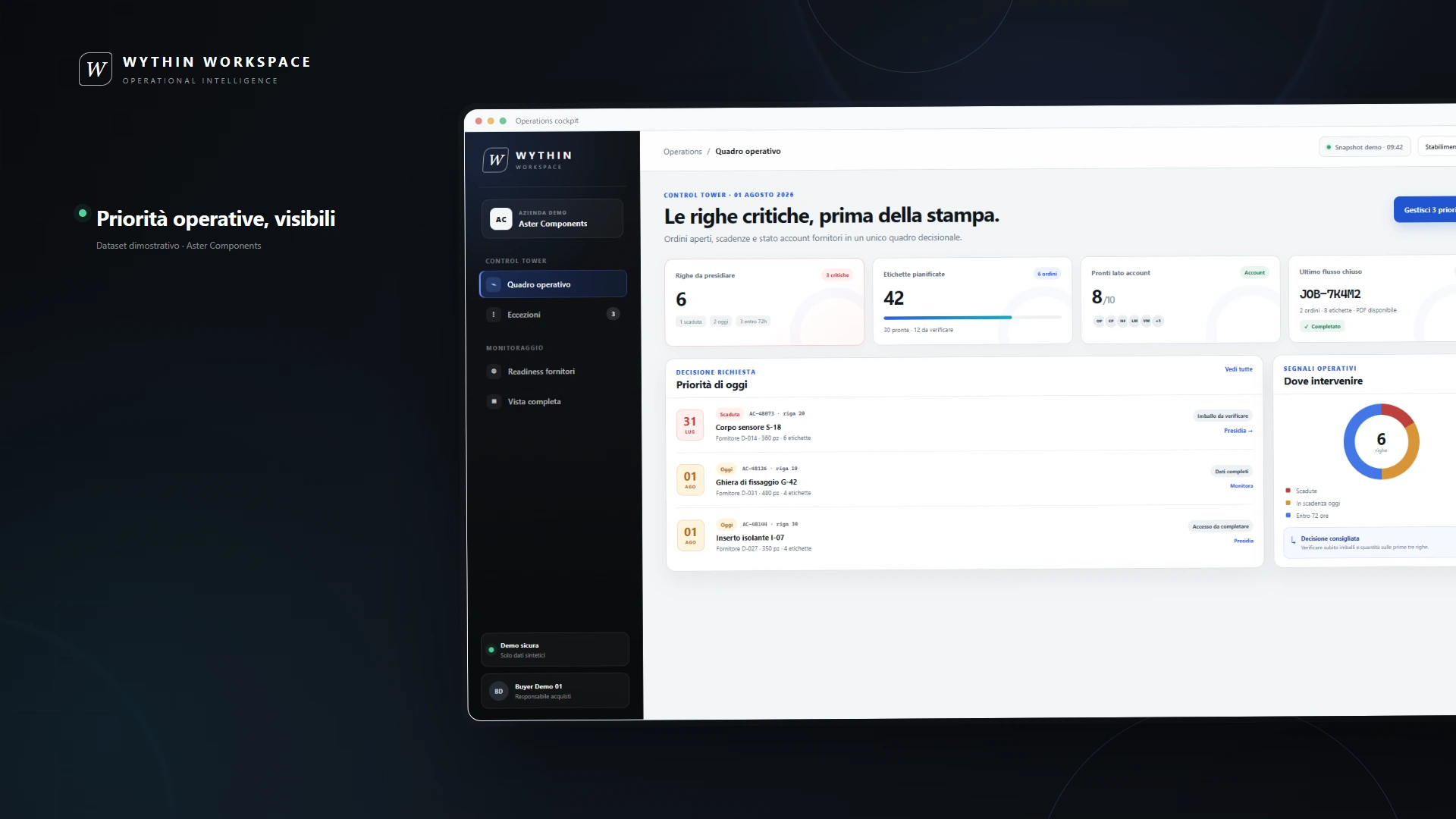
Operation Partners control tower with supplier readiness, order priorities and completed label jobs
Operation Partners turns WMS order data into a guided, verifiable supplier workflow.

The story

Priorities were scattered across e-mail and Excel

The WMS already knew the suppliers, their purchase orders and the dates materials were required. The problem began outside it: priorities were repeated in e-mails, copied into Excel files and explained again whenever plans changed.

Customer and supplier could both be working hard while still looking at different versions of what mattered next.

One secure bridge to the WMS

Operation Partners connects directly to the existing WMS and exposes only the context each supplier needs through reserved credentials. On entry, the supplier immediately sees purchase orders that have not yet been received, the requested date and the priorities to act on.

The portal becomes the common reference for valuable communication: the customer can guide attention without producing another file, and the supplier can act from the same current information.

The label starts from trusted order data

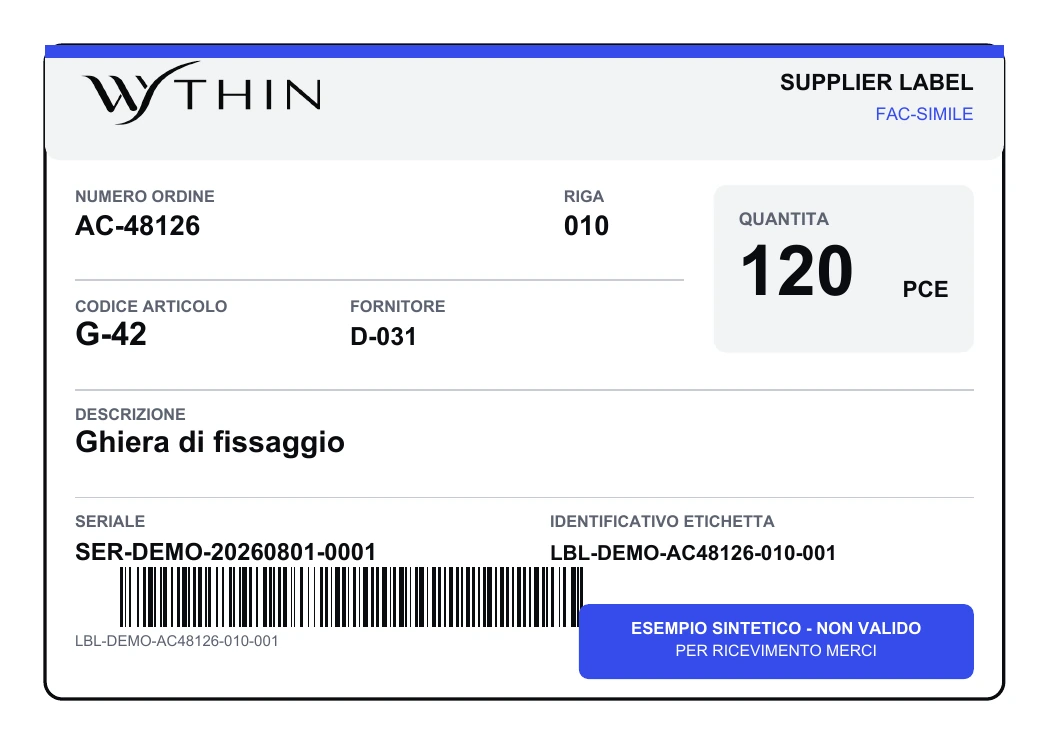
From the same portal, the supplier generates and prints the labels to apply to the product. Because those labels are created from WMS order data, the warehouse can scan them when the material arrives instead of rebuilding the identification at goods receipt.

This continuity reduces avoidable labelling errors and leaves a trace of what was printed, when and for which order.

What happens now

  • Supplier priorities

    Buyers expose the orders that need attention and give each supplier a clear next action.

  • Pre-print checks

    Quantity, packaging, residuals and layout are checked before the label PDF is generated.

  • Usage evidence

    Every generated job links document, orders, quantities, user, timestamp and status for remote coordination and KPI analysis.

The essential product evidence

Only the most useful screens are shown. Product visuals use synthetic scenarios and may preserve the original Italian interface; customer outcomes remain separate from demo values.

Show me how you coordinate suppliers today

One operational language

WythinForge Operational Control

“This delivery is urgent.” When every request arrives with the same urgency, Customer Service and the warehouse need more than another message: they need one operational state that reaches the people handling the product.

Calls → shared statedeliveries, acceptance evidence and CMR in one placeThe public showcase uses synthetic scenarios and demonstrates product capabilities rather than customer KPI values.
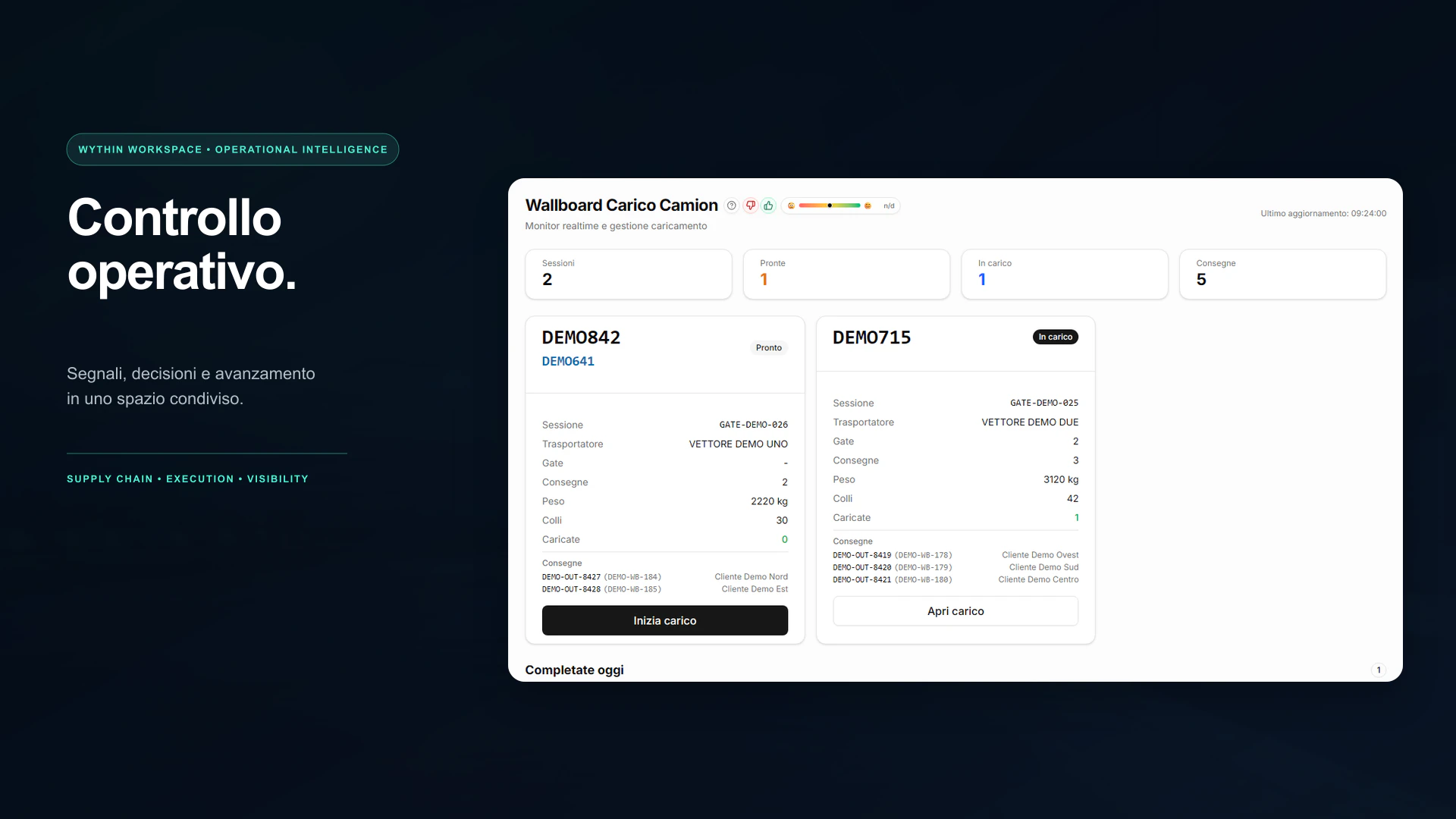
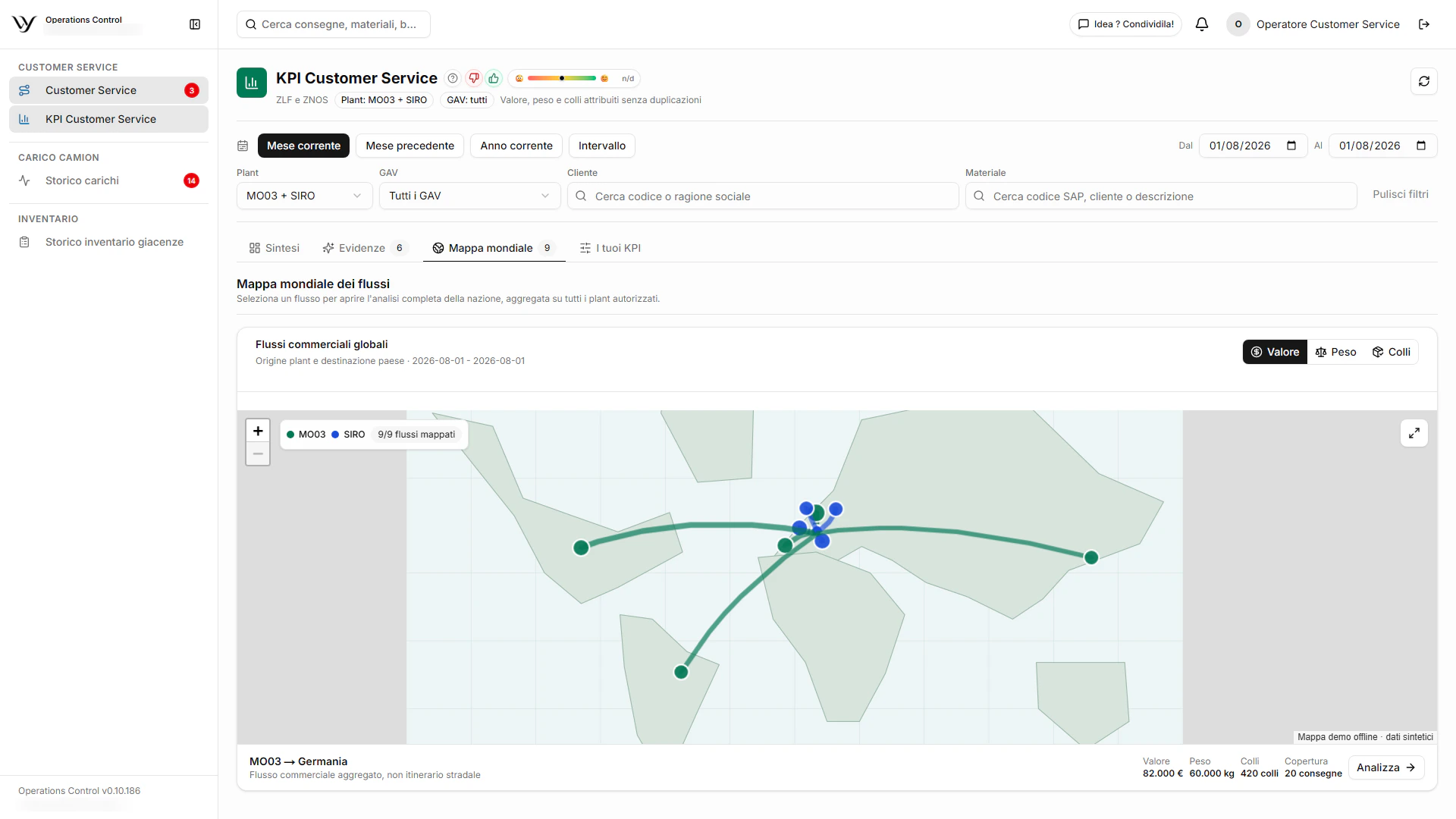
Operational Control warehouse wallboard with vehicle sessions and clear next actions
Operational Control gives Customer Service, gate and warehouse teams one current operational state.

The story

When everything is urgent, nothing is orchestrated

Customer Service and warehouse teams know the pattern: calls, messages and repeated “urgent” requests used to understand where a delivery is and what should happen next. Information crossed several people and places, often changing form before it reached the operator preparing the goods.

The real problem was not a lack of effort. It was the absence of a layer able to preserve and orchestrate the operating context.

A current state built from SAP data

Operational Control began with simple CSV imports from SAP. Deliveries, master data and the information needed by the flow create an internal database designed for the operational questions that the ERP alone did not answer quickly enough.

That database becomes the missing layer between Customer Service, plant gates and warehouse activity — without asking each team to translate the same information again.

The information survives every handoff

Vehicle acceptance, loading evidence and the actions performed at different gates remain connected even when different people operate at each point. The CMR is generated from the completed context and its issue, once a time-consuming repeated activity, becomes virtually immediate.

Priority becomes the exception again

An advance request or a serious delay still requires attention. Now a priority can reach, with one action, the people who physically package, prepare and ship the product. The shared state replaces the chaos of parallel Teams messages with one visible path and one accountable next action.

It is not presented as the final answer to every warehouse problem. It is the point where order replaces chaos and high-value work, waste and bottlenecks can finally be observed with the same facts.

What happens now

  • Delivery and vehicle control

    Customer Service finds active, waiting and loaded deliveries quickly; vehicle acceptance preserves who handled each step and what was loaded.

  • Automatic CMR

    The CMR can be generated and reprinted from the completed operational record, removing a repetitive annual time cost.

  • Fleet, exceptions and RFID

    Forklifts and pallet trucks gain guided hour, use, maintenance, rental and note records. Material requests govern exceptions, while the long-range RFID prototype can create replenishment requests from real-time inventory signals over Wi-Fi.

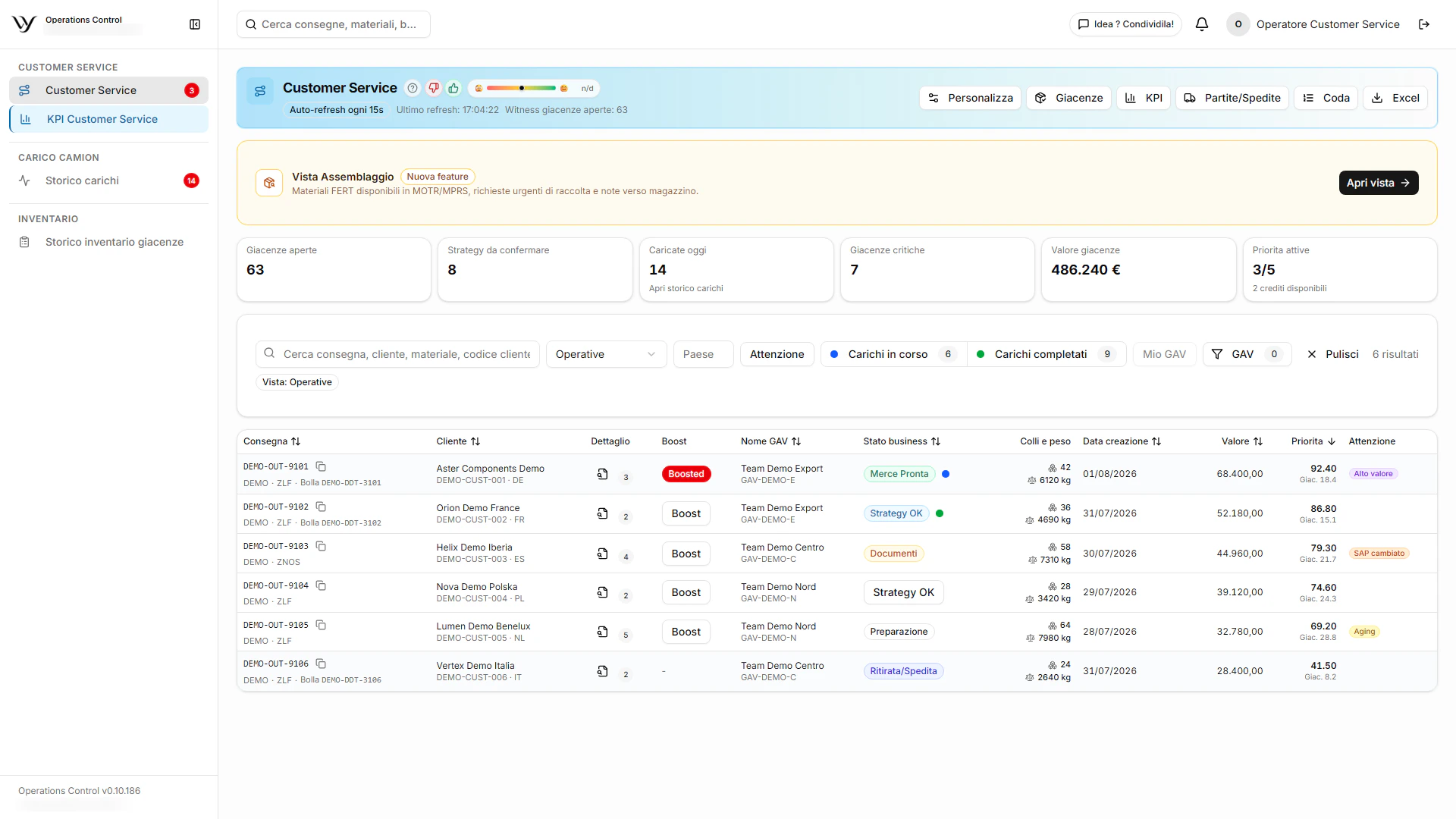
Synthetic Customer Service snapshot

deliveries
128
delivery value
€486,240
gross weight
312,480 kg
SAP packages
2,184

The essential product evidence

Only the most useful screens are shown. Product visuals use synthetic scenarios and may preserve the original Italian interface; customer outcomes remain separate from demo values.

From handover to operational memory

WythinForge CastHub

When someone leaves after ten years, their operational knowledge cannot be transferred in one final screen-sharing session. CastHub records the work, its explanation and its context so the handover remains available after the person has left.

Handover → operational memorymulti-screen capture, transcript and department accessThe screenshots come from an authorized local demo with synthetic content; no client performance result is claimed.
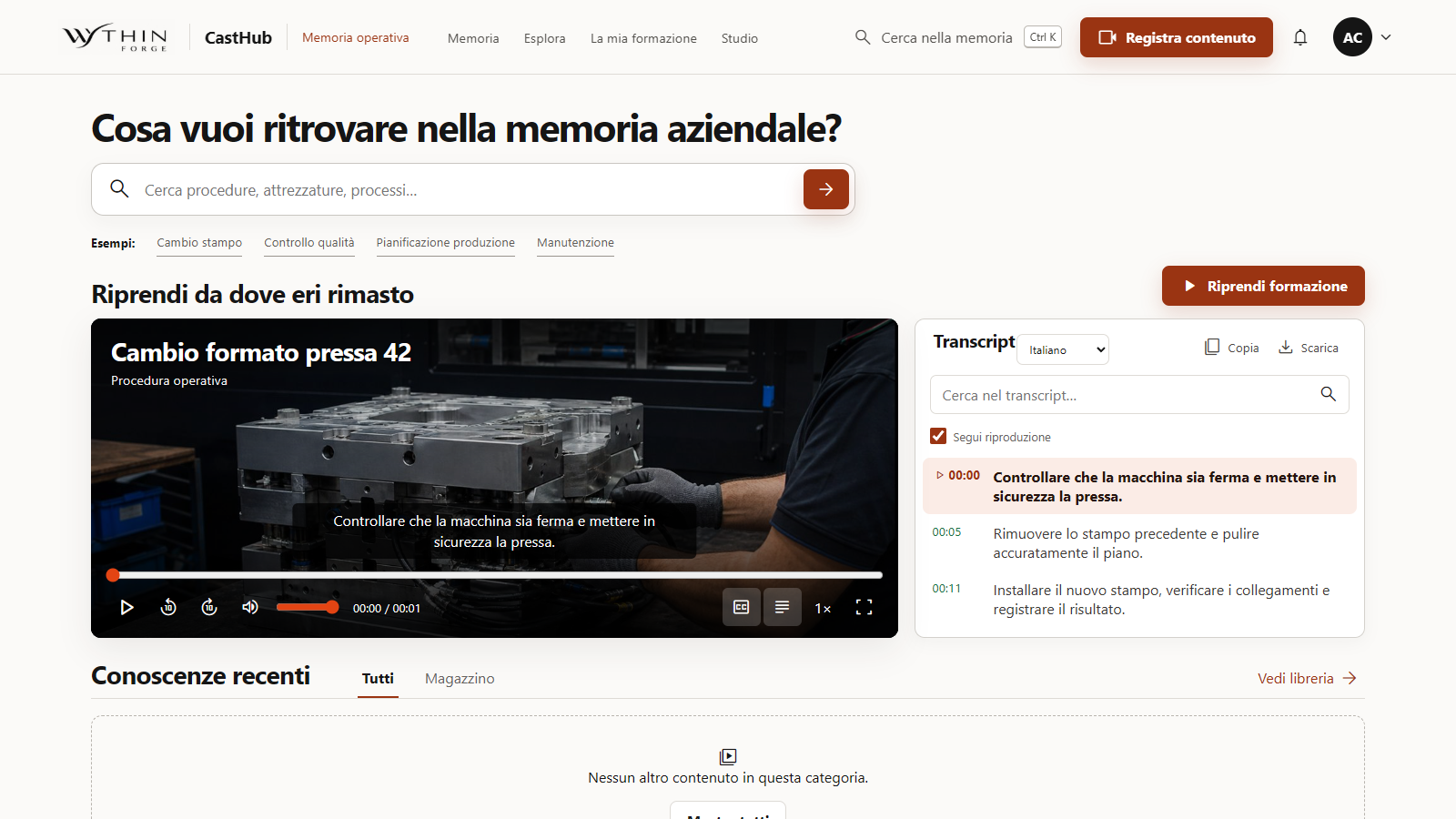
CastHub operational-memory home with a synthetic procedure video and its synchronized transcript
A recorded handover remains connected to its transcript and source, ready to be revisited inside the company network.

The story

Ten years of experience do not fit into one handover

A colleague who has lived inside a company for years knows procedures, exceptions and practical shortcuts that were never captured periodically. When their role changes or they leave, the usual handover asks them to show a replacement what they do on screen, once, while time is already running out.

The replacement can take notes and ask questions, but the demonstration disappears as soon as the meeting ends. The company risks losing not only a procedure, but the reasoning and small operational details that made the activity work every day.

The handover becomes a recording that can be revisited

With CastHub, the experienced person records the activity instead of relying on a one-off explanation. They can capture more than one screen and can record alone or together with the colleague taking over, preserving both the actions performed and the questions that emerge during the handover.

The video remains available to watch again, while the spoken explanation becomes a searchable transcript. A later viewer can return to the exact passage, compare the words with what happened on screen and recover a detail even after the original owner is no longer available.

Every department builds a shared operational memory

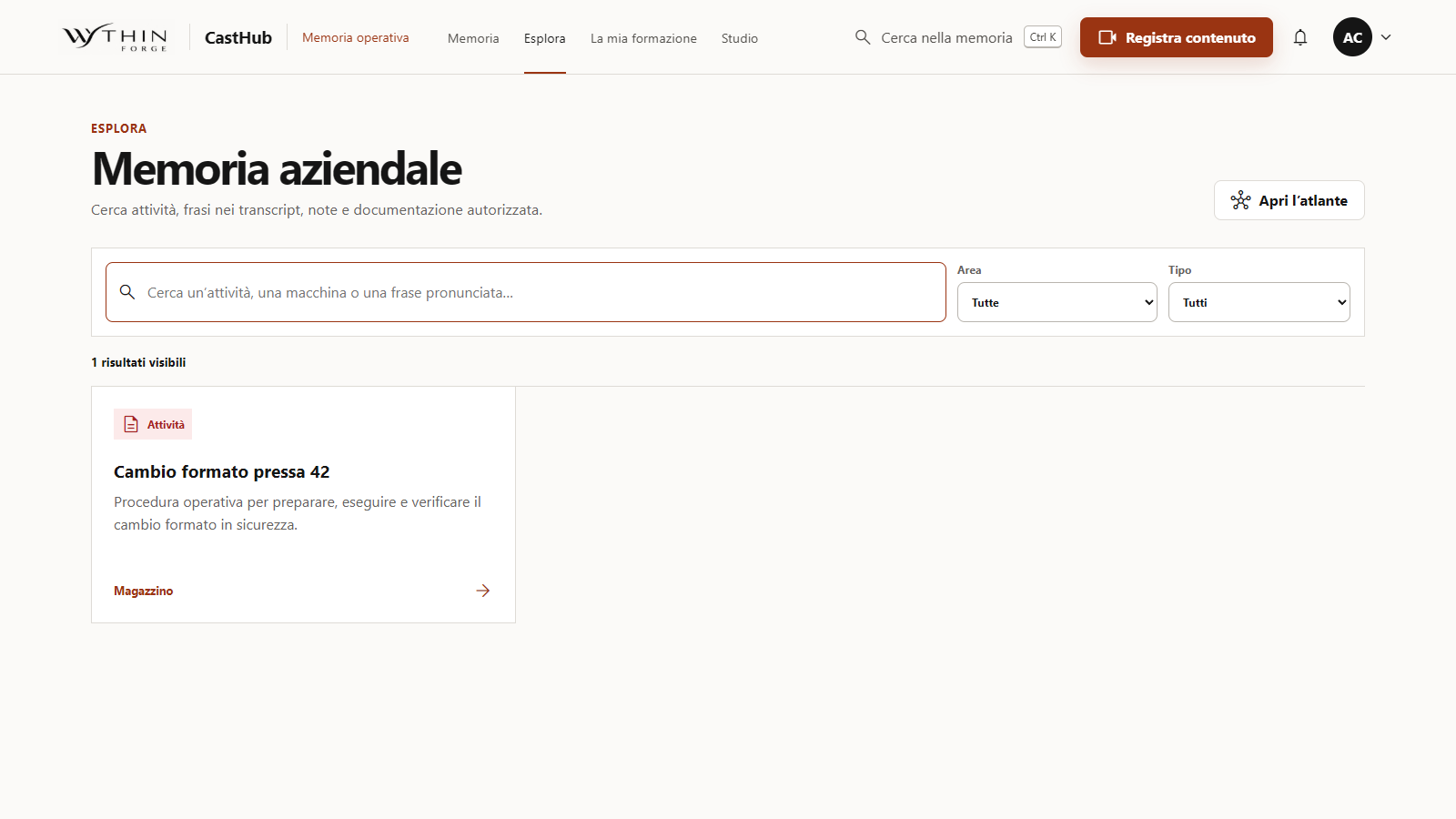
CastHub runs inside the company network. Recordings, transcripts and procedures can be organized by department and made visible to the people authorized for that area, so knowledge no longer depends on a personal folder or on who happened to attend the handover.

Over time, each department can build its own library of activities and procedures and the company retains an operational memory that supports departures, role changes and continuous knowledge management. If a company AI is introduced later, this governed body of knowledge can also become one of its controlled sources.

What happens now

  • Multi-screen handover capture

    Record one or more screens, alone or with the incoming colleague, while preserving the spoken explanation as a transcript.

  • Department operational memory

    Organize recordings and procedures by department so authorized colleagues can retrieve the activity after a role change or departure.

  • Searchable, reusable knowledge

    Search transcripts and mapped activities now, while preserving a governed source that a future company AI could use later.

The essential product evidence

Only the most useful screens are shown. Product visuals use synthetic scenarios and may preserve the original Italian interface; customer outcomes remain separate from demo values.

Show me the handover the company cannot afford to lose

From supplier PDF to ERP-ready draft

WythinForge Inbound AI Handler

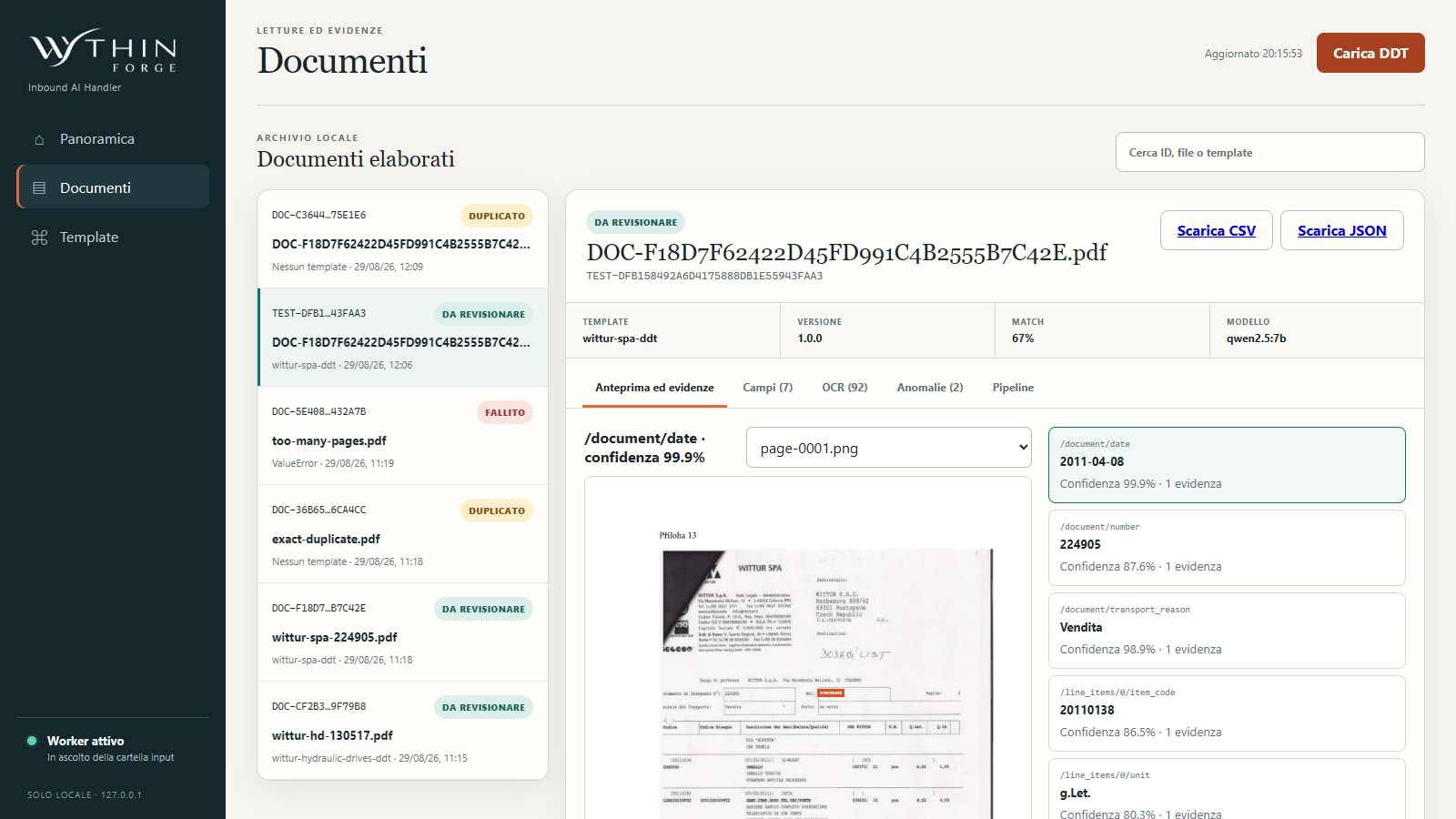
A warehouse may receive hundreds of delivery notes to register, while building an EDI connection with every supplier is slow or simply unrealistic. Inbound AI Handler uses the PDF they can already provide as a common, reviewable input.

DDT PDF → reviewable CSVfield extraction, source evidence and ERP import handoffThe demo uses authorized public WITTUR documents and local processing. Exports remain marked needs_review and do not represent a client result.
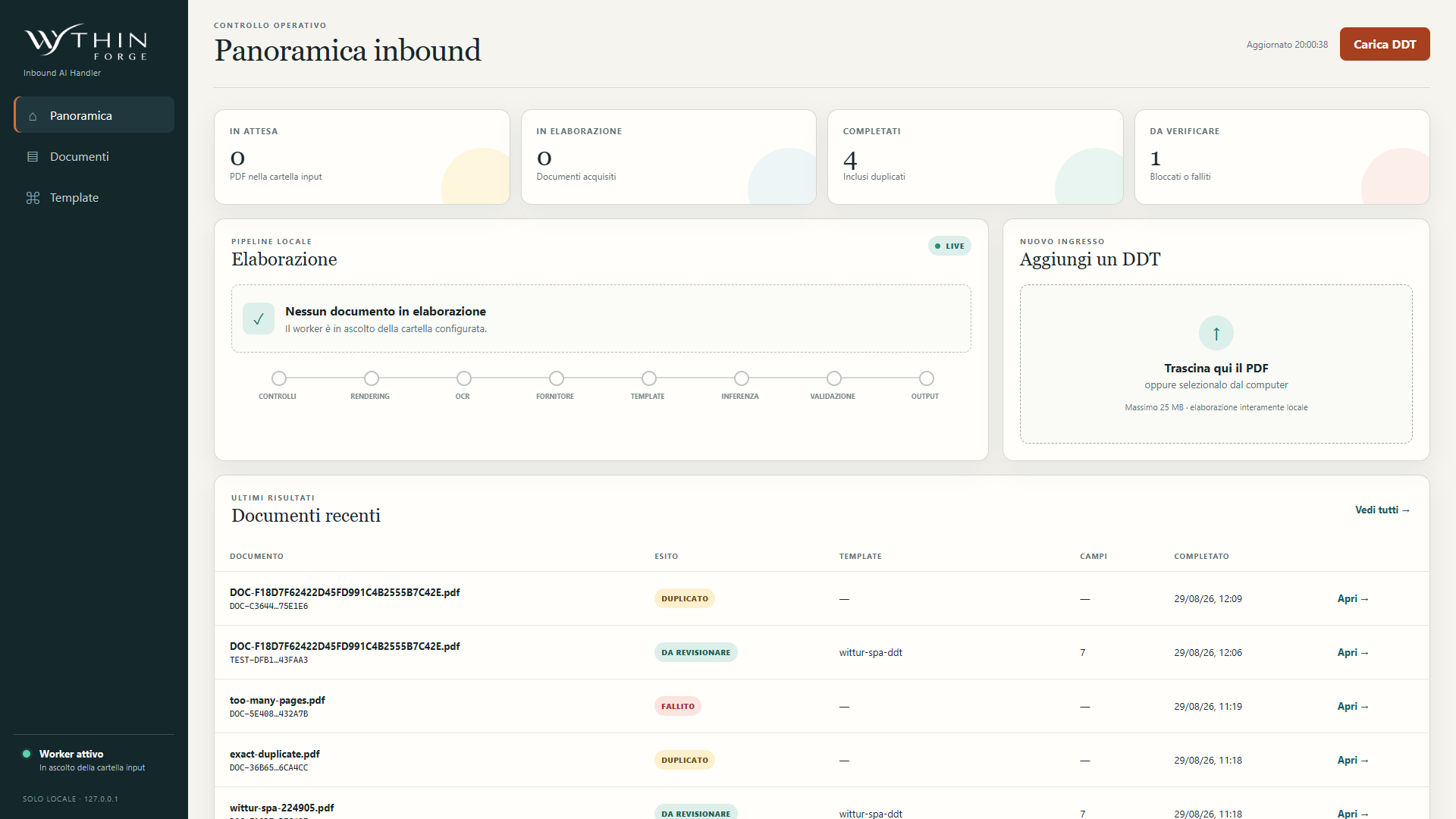
Inbound AI Handler local overview with PDF delivery-note queues, pipeline stages and review statuses
The local overview shows PDF intake, processing progress and the delivery notes that require a human coherence check.

The story

An EDI project does not scale to every supplier

Warehouses can receive hundreds of delivery notes that someone must read and register. Removing that data entry through EDI often means opening a real integration project between the customer's IT department and each supplier's systems, with time, coordination and technical dependencies on both sides.

Not every supplier is structured enough to support that connection, and each of them serves many customers with different priorities. When the requesting company is not a high-priority customer, waiting for a dedicated integration can leave the manual process unchanged indefinitely.

The PDF becomes the shared interface

Inbound AI Handler removes that supplier-by-supplier friction by starting from a format every supplier can already produce after issuing a delivery note: the PDF. The document arrives in a processing folder, where a local pipeline reads it through a released supplier profile and keeps unknown or ambiguous layouts safely out of automatic extraction.

The pipeline proposes the document number, document date, purchase order, item code and quantity. Each value remains connected to its page and source evidence, so the operator can understand what was read rather than receiving an unexplained block of data.

Data entry becomes a coherence check

After extraction, the candidate fields are collected in a CSV that can be imported into the primary ERP, SAP in this example. The operator moves from retyping every line to checking that the proposed values are coherent with the original delivery note and resolving any anomaly before the import.

The export remains explicitly subject to human review: the handler does not approve the delivery note or write autonomously to the ERP. It removes most repetitive transcription while preserving a clear control point before the data enters the company's system of record.

What happens now

  • Common PDF intake

    Receive the delivery-note format suppliers already provide and process it only through a reviewed, identifiable layout profile.

  • DDT field extraction

    Propose document number, date, purchase order, item code and quantity while preserving page, confidence and source evidence.

  • CSV handoff with human control

    Prepare a CSV for the ERP import flow, including SAP, while unknown layouts and unresolved fields stop for a person's decision.

The essential product evidence

Only the most useful screens are shown. Product visuals use synthetic scenarios and may preserve the original Italian interface; customer outcomes remain separate from demo values.

Show me the delivery-note entry queue

From movement extracts to a method for reading work

WythinForge Intelligence FTE

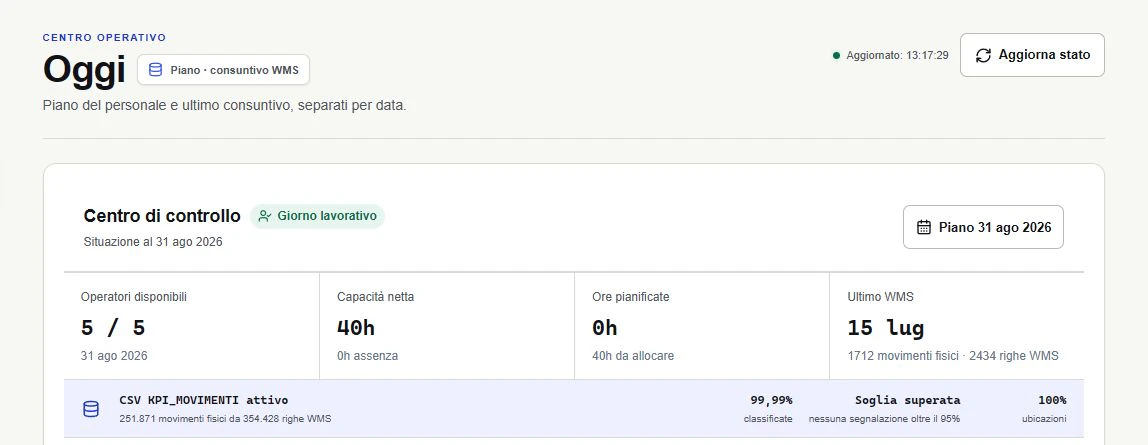
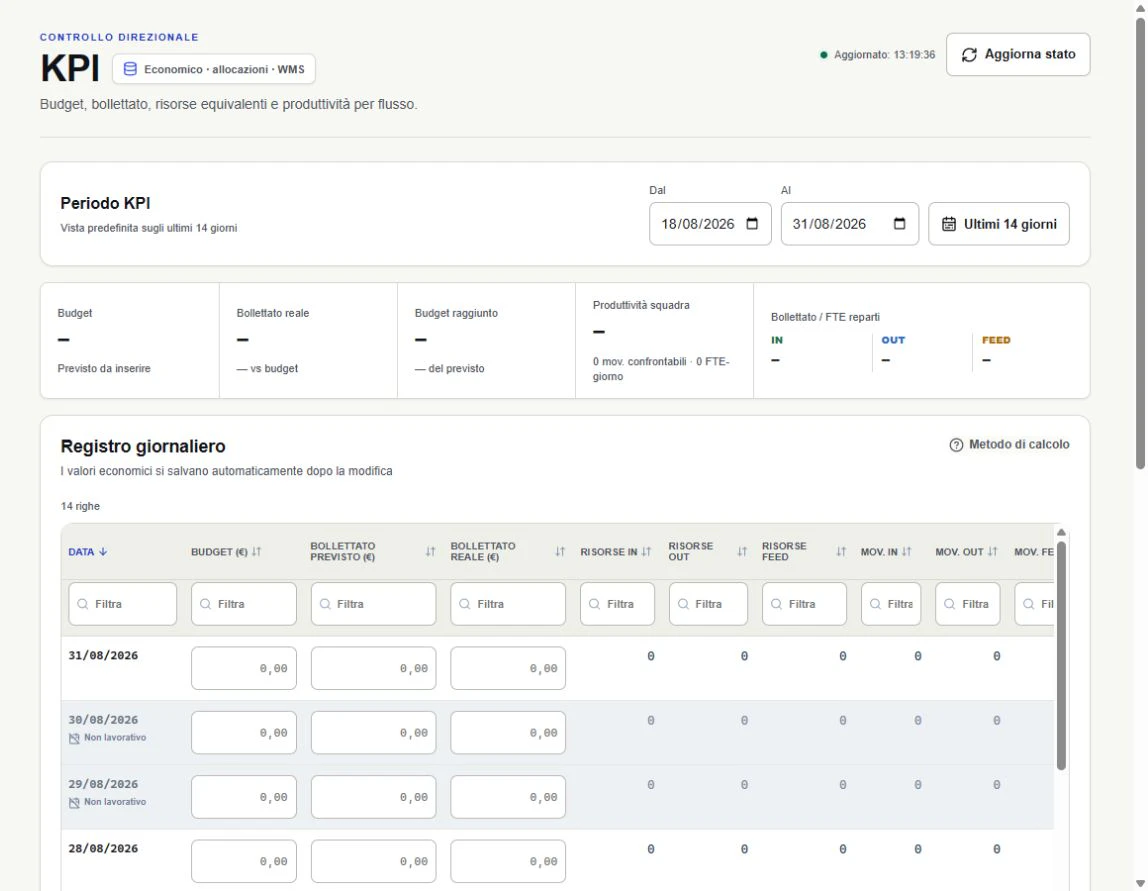
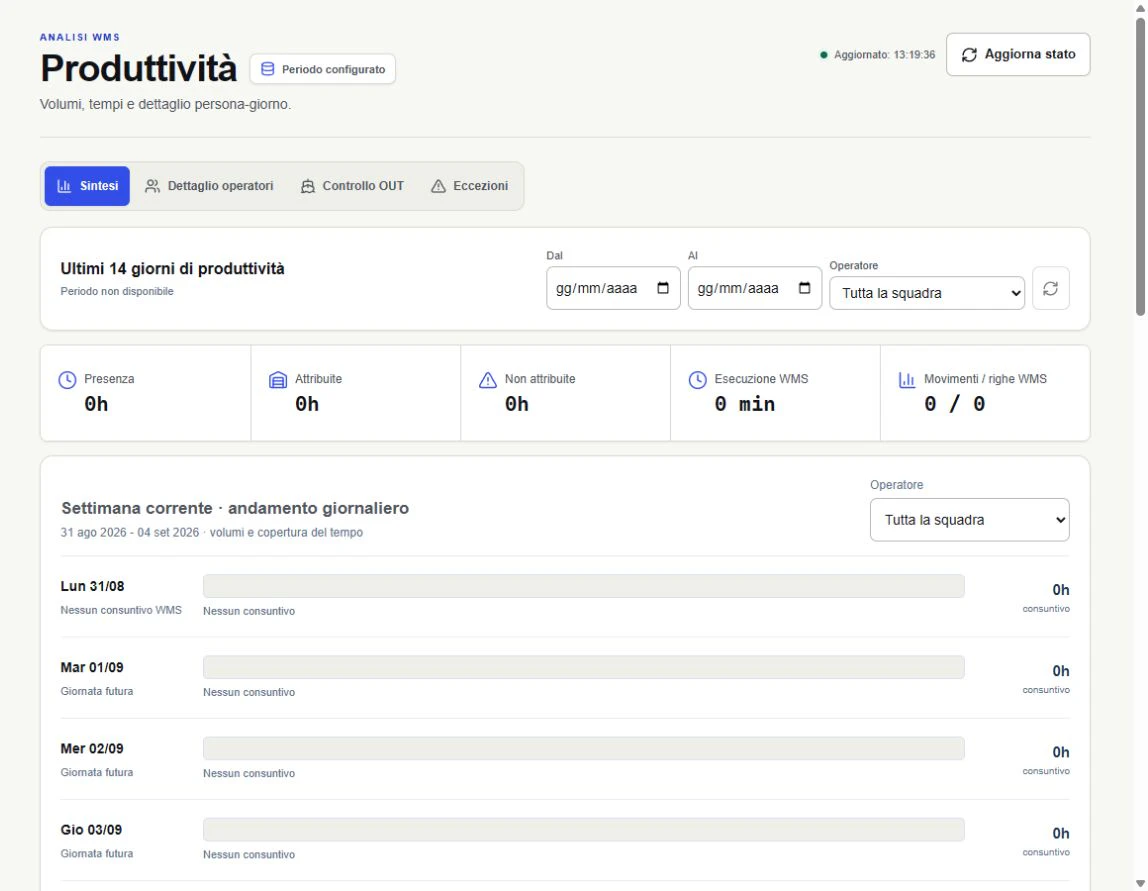
A WMS movement extract can count events, but it cannot explain how capacity, time and operational flows fit together. WythinForge Intelligence FTE turns those rows into a repeatable method for reading workload, coverage and the work behind each day.

Movements → work methodclassification, time context and inspectable FTE evidenceThe public screens come from the authorized 31 August visual review. Client-identifying and person-level regions are excluded, any person examples remain pseudonymized, economic values are masked and no employee-performance result is claimed.
WythinForge Intelligence FTE operational control center with available capacity, planned hours and WMS data coverage
The renewed control center keeps capacity, the latest movement extract and source coverage in one precise operational hierarchy.

The story

A movement extract records events, not the work

The starting point looked simple: files containing WMS movements. They could say that a row existed, when it happened and which flow it belonged to, but a list of events was not yet an analysis of the work. It did not distinguish a system row from a physical movement, explain the time between activities or show whether the source was complete enough to support a decision.

Reading the extract directly risked turning volume into a misleading shortcut for effort. The useful question was not who had the highest count, but how the operation could reconstruct workload, available capacity and exceptions with evidence that people could inspect.

We built the method before the dashboard

The first product decision was methodological. Movements are classified into operational flows, related rows are reconciled and physical events are separated from technical traces. IN, OUT and FEED become comparable only after their own rules, coverage and unresolved exceptions are made explicit.

That method also measures the reliability of its source. Classification coverage, missing locations, unresolved rows and the date of the last usable extract remain visible, so a chart cannot quietly suggest more certainty than the underlying data supports.

Then we added the time the WMS cannot see

Movements describe only part of a working day. Shifts, absences, meetings, planned allocation and manual activities are added as governed context, allowing the system to separate attributed time from time that still needs an explanation and to compare the plan with what the operational evidence shows.

The result is a person-day timeline that can be inspected rather than a single opaque score. A team lead can move from an aggregate FTE-day or movements-per-FTE view to the underlying day, flow and exception without losing the assumptions used by the calculation.

The result is a governed reading of workload

WythinForge Intelligence FTE brings capacity, movement evidence, plan-versus-actual context and data quality into one local analytical layer. The same method can be repeated on every new extract, making trends and anomalies comparable without rebuilding the analysis in a different spreadsheet each time.

The product supports operational interpretation; it is not an automated employee-ranking system. Measures remain connected to source coverage, work context and human review so the organization can discuss workload and improve the method instead of treating a raw count as a verdict on a person.

What happens now

  • Movement classification method

    Separate physical movements from technical rows, reconcile related events and make IN, OUT, FEED and unresolved exceptions comparable through explicit rules.

  • Time and capacity context

    Combine shifts, absences, meetings, planned allocation and manual work to distinguish attributable evidence from time that still needs interpretation.

  • From team KPI to person-day evidence

    Read FTE-days and movements per FTE at team level, then inspect the day, flow, source coverage and timeline supporting the aggregate.

The essential product evidence

Only the most useful screens are shown. Product visuals use synthetic scenarios and may preserve the original Italian interface; customer outcomes remain separate from demo values.

Show me the extracts you want to turn into a repeatable method

A mission built together

A simple idea can become the system that changes how the work gets done.

These are six use cases with a concrete impact, not the boundary of what can be built. Bring a process, an early idea or an AI opportunity: your private Workspace keeps the project, live product previews and your feedback connected while we develop. It is Agile delivery placed directly in the client's hands — a mission whose progress we can read together.