WythinForge

Roberto · WythinForge founder

Business software, built around the work.

I design and deliver custom applications, from understanding your process to building, testing and launching the software your team needs.

Discuss your project on Upwork

Over 10 years in warehouse and supply chain operations inform how I approach requirements, exceptions and everyday usability. That process-led approach applies to business applications across sectors.

01 / Custom quality management application

Scrap Control

Paper declarations and repeated entry made scrap decisions difficult to follow. The application connects the operator's report to a clear Quality decision inside the existing WMS process.

Who uses it
Production operators, Quality reviewers and administrators.
My role
Founder & Solution Lead — process analysis, requirements, application design and delivery, with AI-assisted development, human review and testing.

Operator → guided declaration

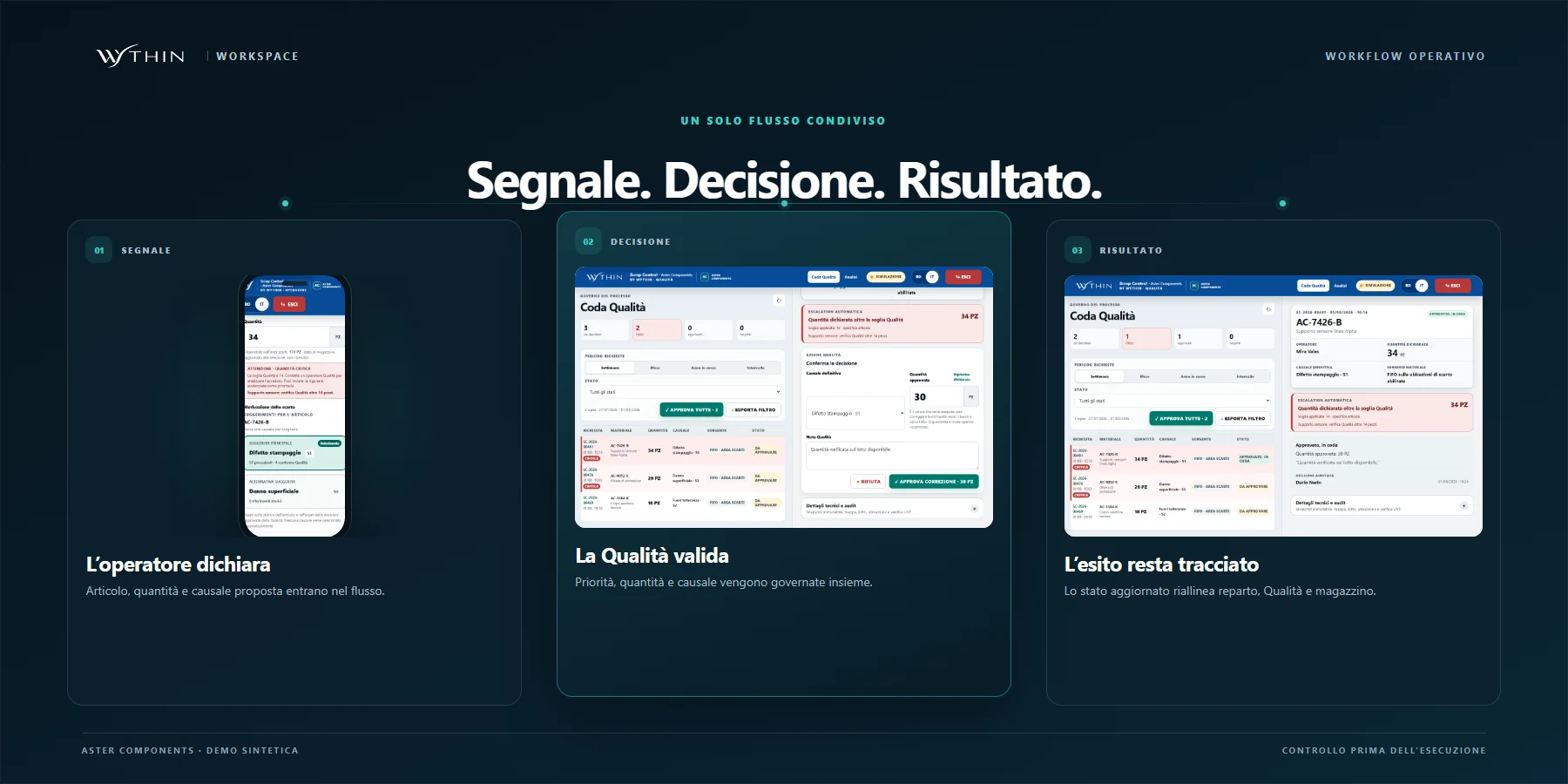
The operator signs in, scans the material and reports quantity and defect. The declaration enters the Quality queue with the context needed for review.
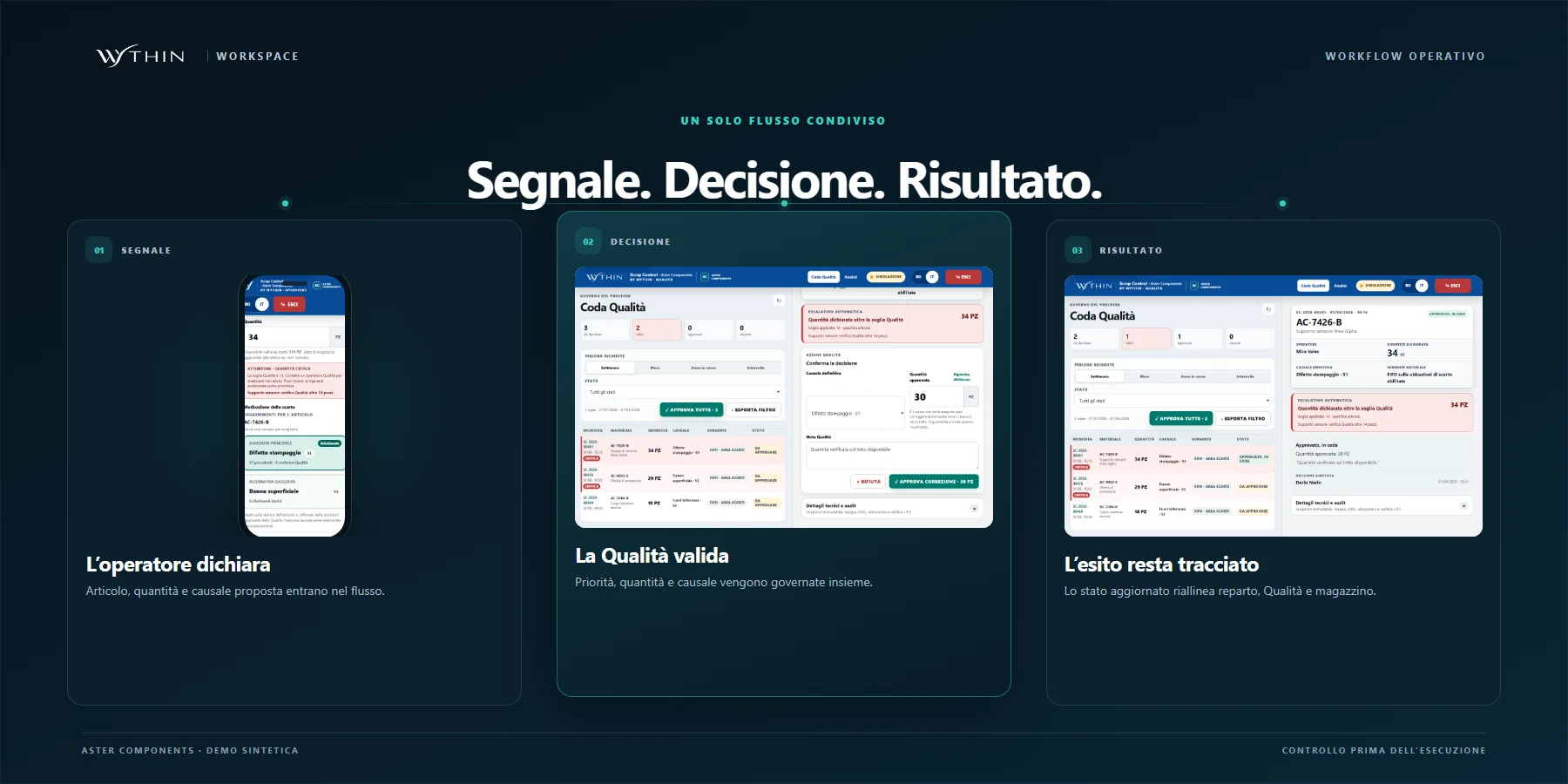
Three-stage Scrap Control workflow from operator signal to Quality decision and traceable result
Open the full-size screen: Scrap Control — Operator → guided declaration

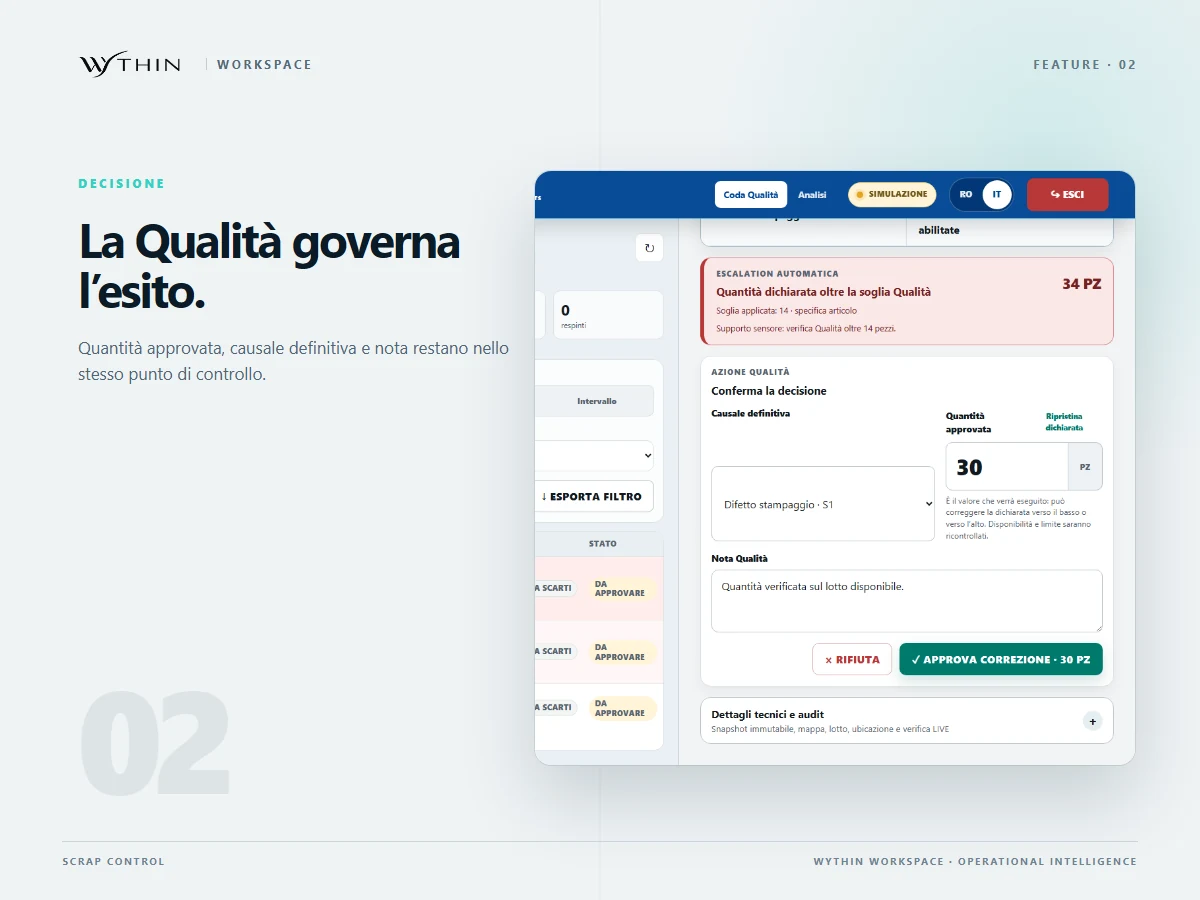
Quality review → explicit decision

Quality checks the declaration, confirms or corrects the quantity and approves or rejects with a reason. Responsibility stays visible throughout the handoff.
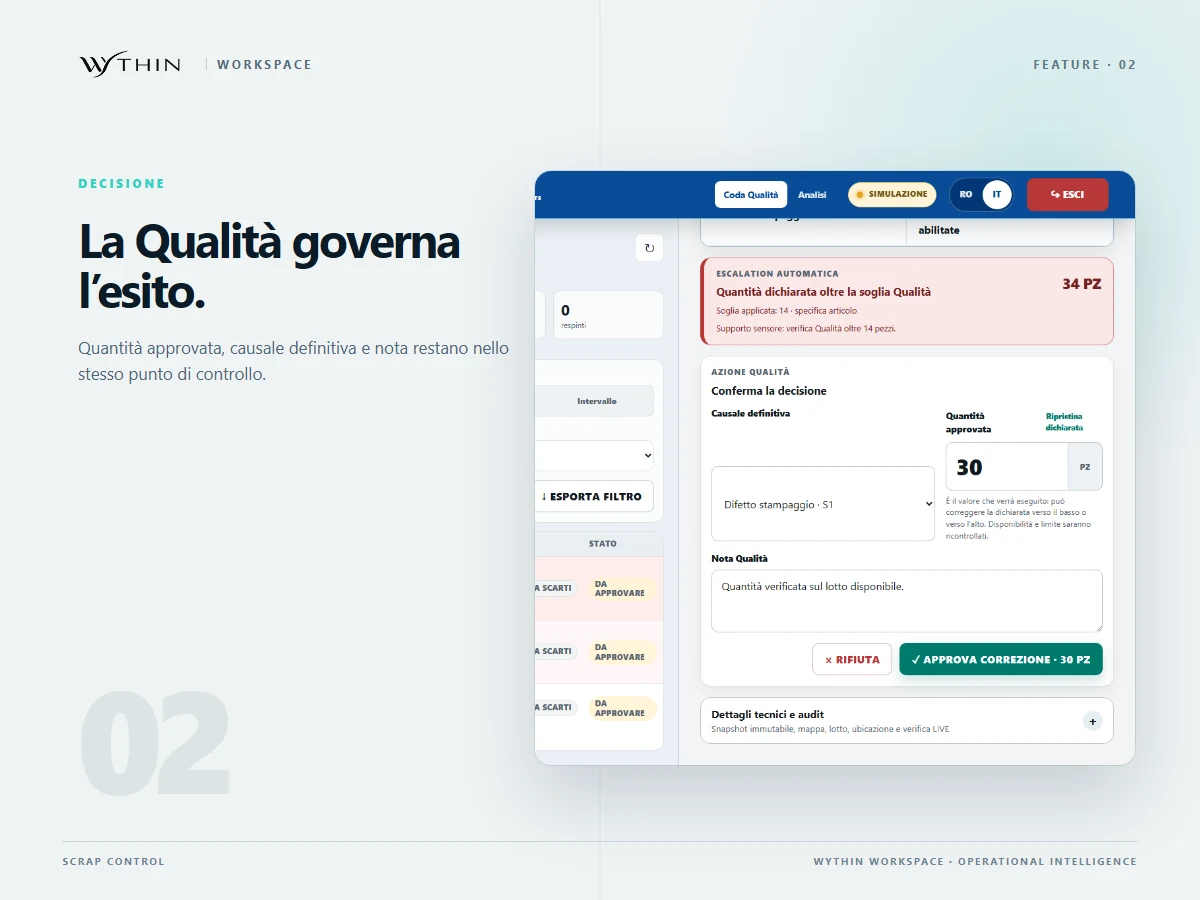
Scrap Control Quality decision interface for approving, correcting or rejecting a declaration
Open the full-size screen: Scrap Control — Quality review → explicit decision

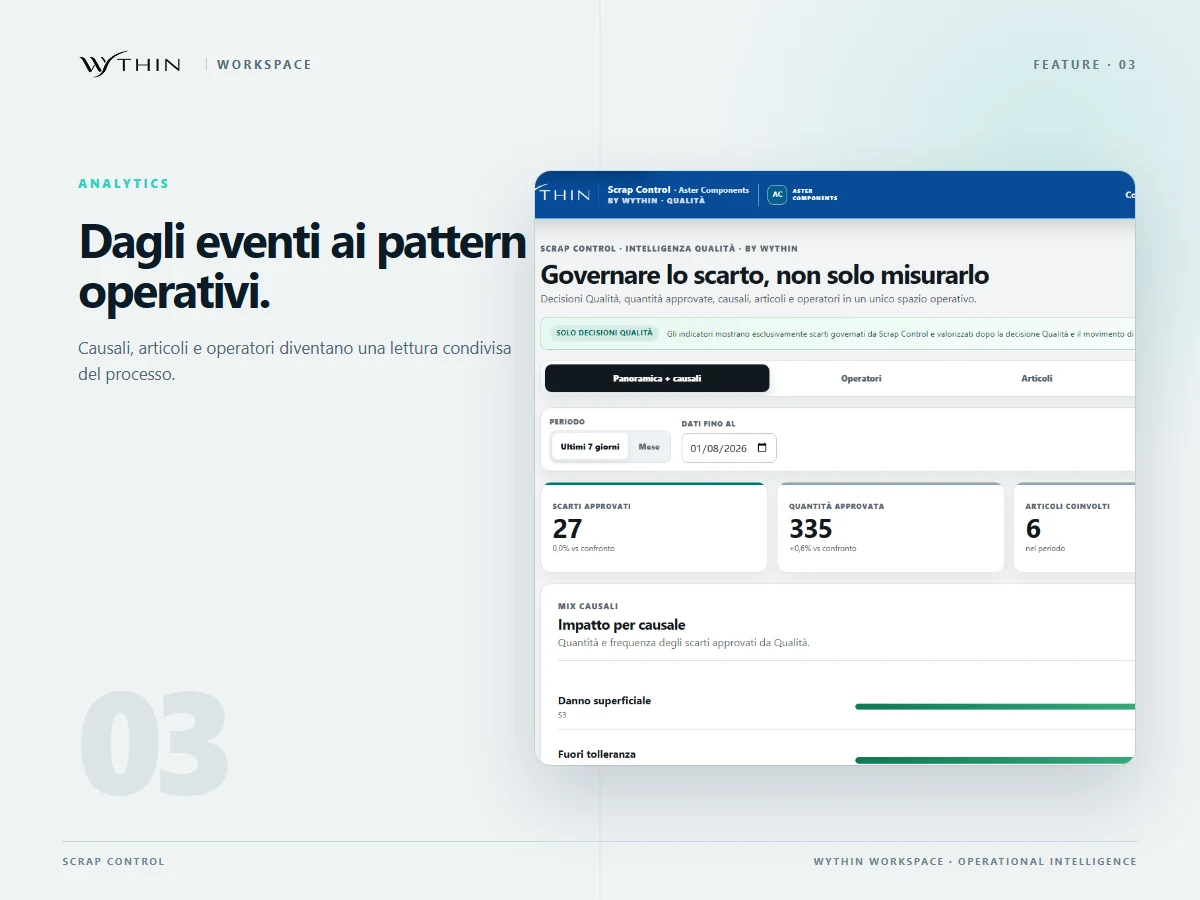
Decision → history and analysis

The recorded outcome can be traced back to the declaration. Analysis by cause, item and operator helps the team investigate recurring issues.
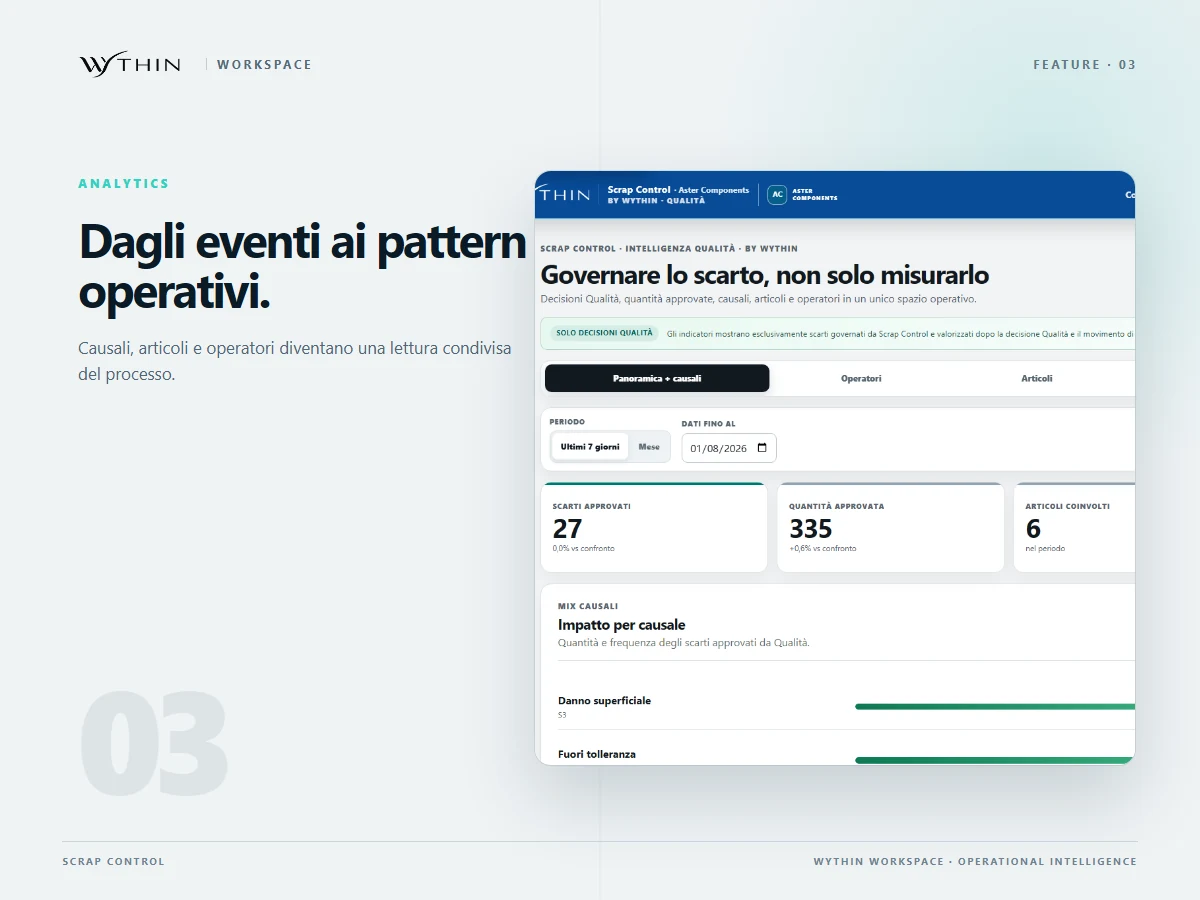
Scrap Control analytics grouped by cause, item and operator
Open the full-size screen: Scrap Control — Decision → history and analysis

What the flow delivers

A declaration keeps its owner, quantities, reason and decision together. Teams can reconstruct the history and analyse recurring causes.

Scope of this demonstration

Synthetic demonstration of an application designed for an internal company network. Integration with a new client's WMS requires a separate assessment.
02 / Supplier portal & operational workflow

Operation Partners

Buyers and suppliers were coordinating priorities across emails and spreadsheets. The portal brings current orders, required checks and label generation into one guided workflow.

Who uses it
Supplier users, buyers and receiving teams, with supplier-specific access.
My role
Founder & Solution Lead — process analysis, requirements, application design and delivery, with AI-assisted development, human review and testing.

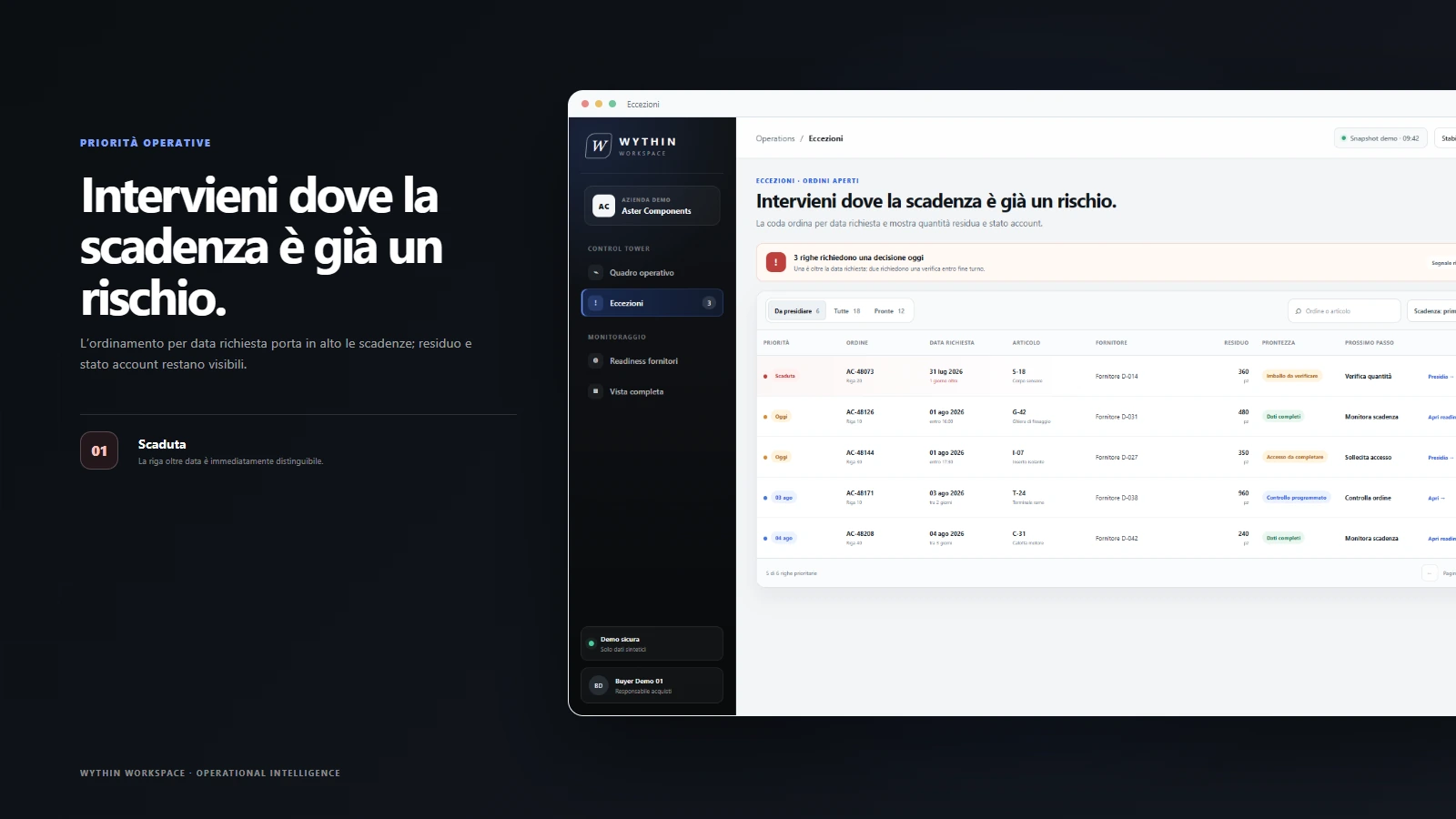
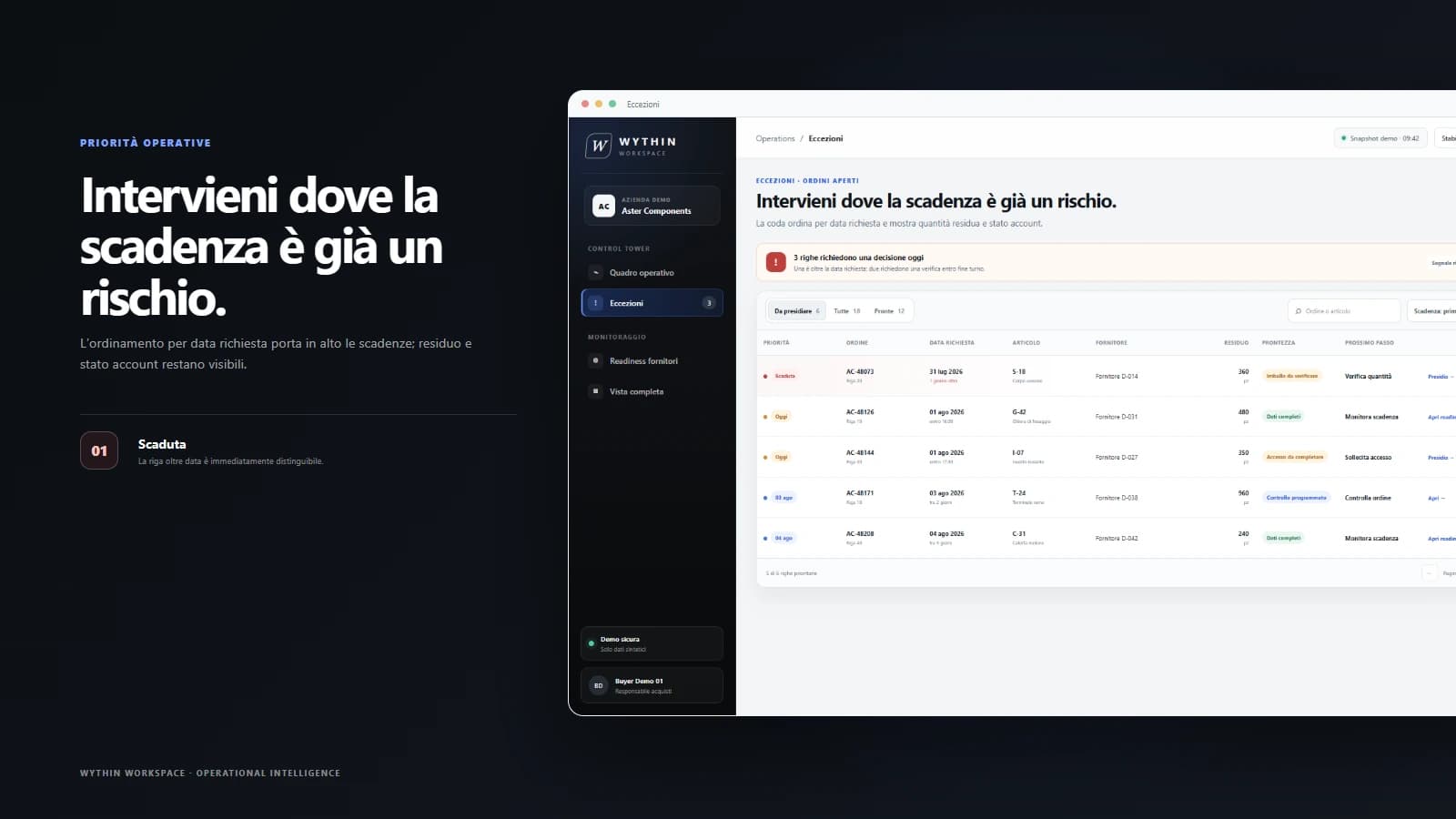
Supplier access → orders and priorities

Each supplier accesses its assigned context. Due dates, remaining quantities and exceptions identify the next orders to address.

Operation Partners priority view with overdue orders, remaining quantities and next actions
Open the full-size screen: Operation Partners — Supplier access → orders and priorities

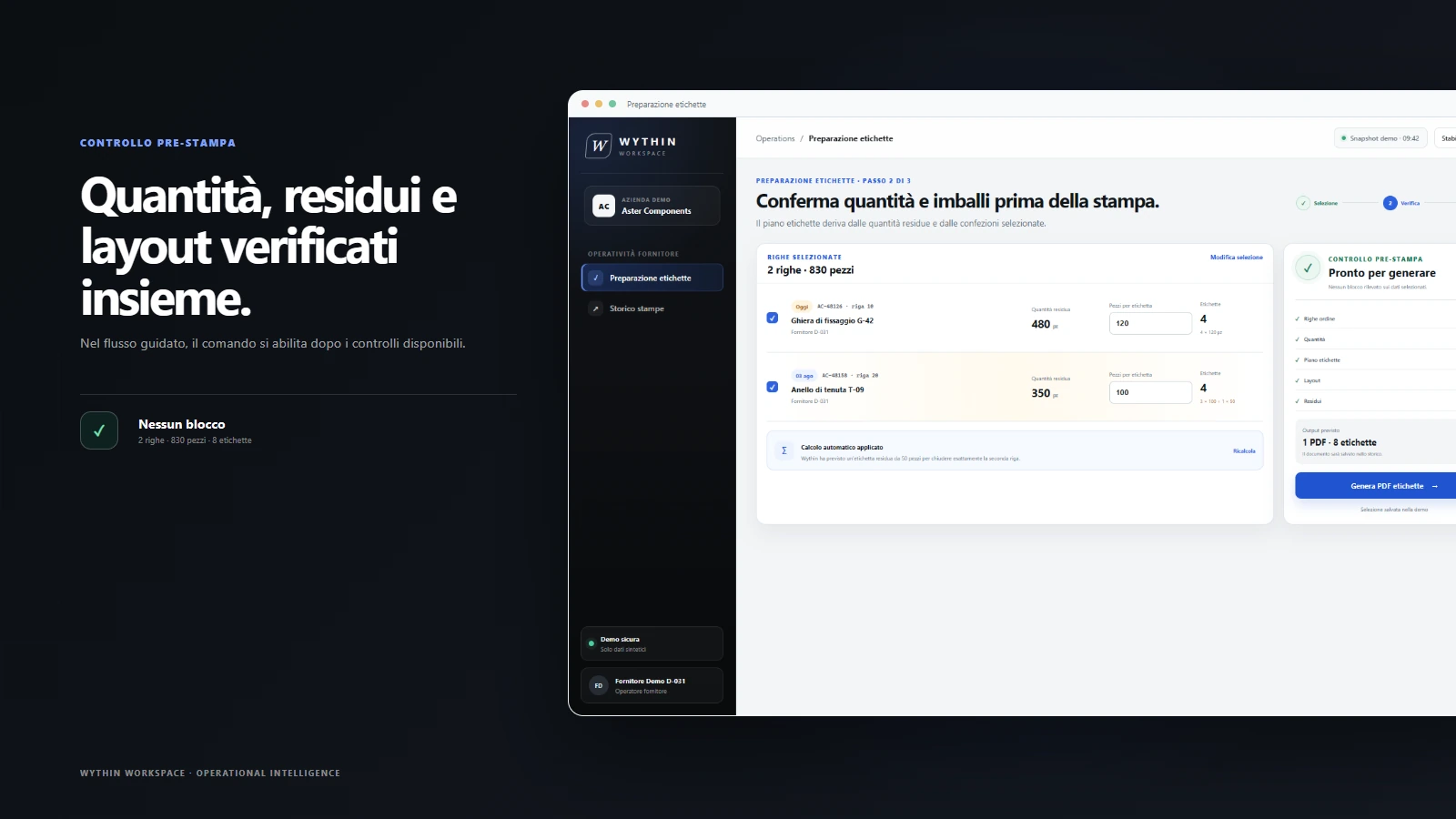
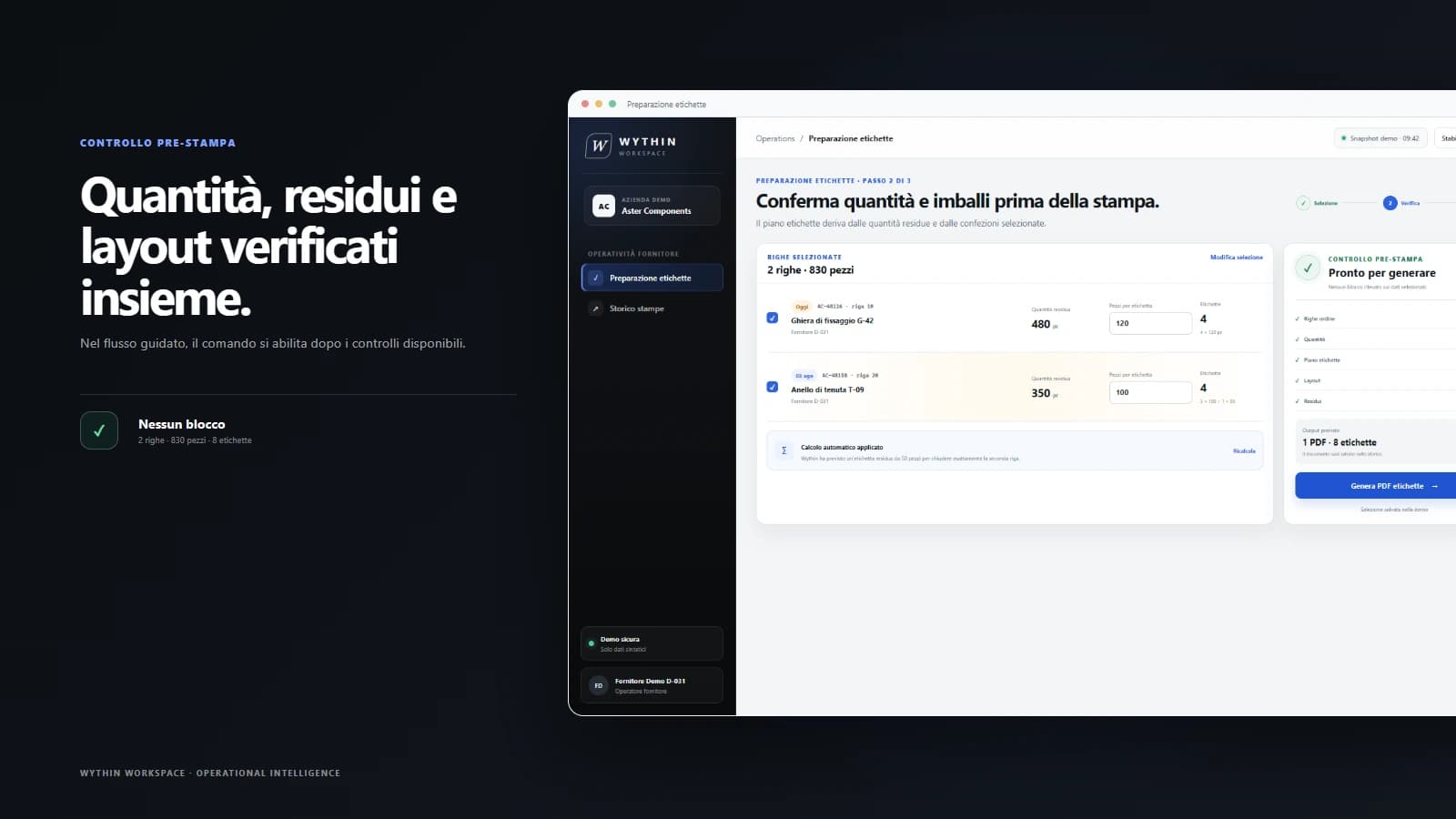
Checks → receiving labels

Before creating the PDF, the guided flow checks quantities, packaging and label layout. The supplier receives a document aligned with the receiving process.

Operation Partners preflight interface checking quantities, packaging and label layout before PDF generation
Open the full-size screen: Operation Partners — Checks → receiving labels

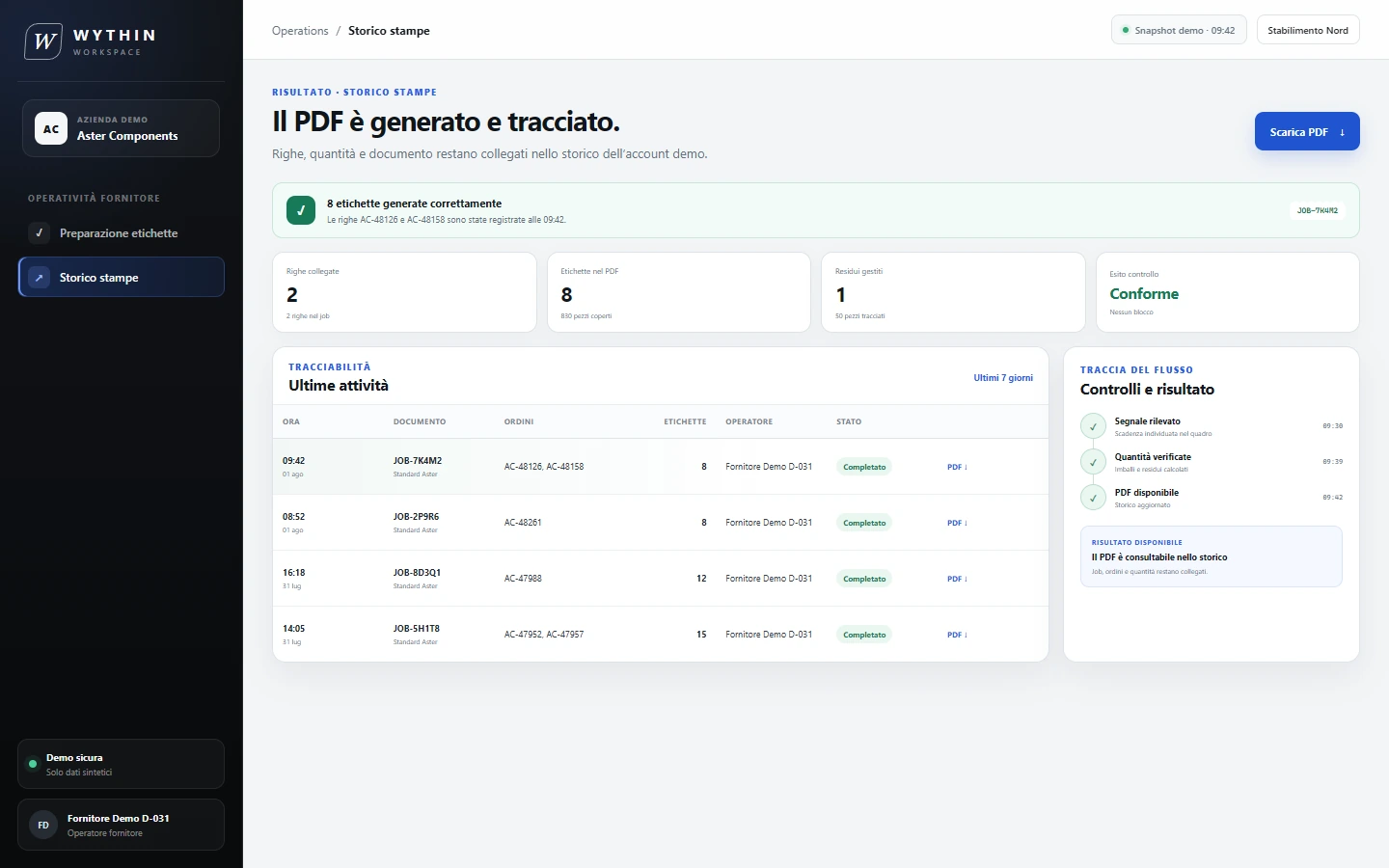
Label job → activity history

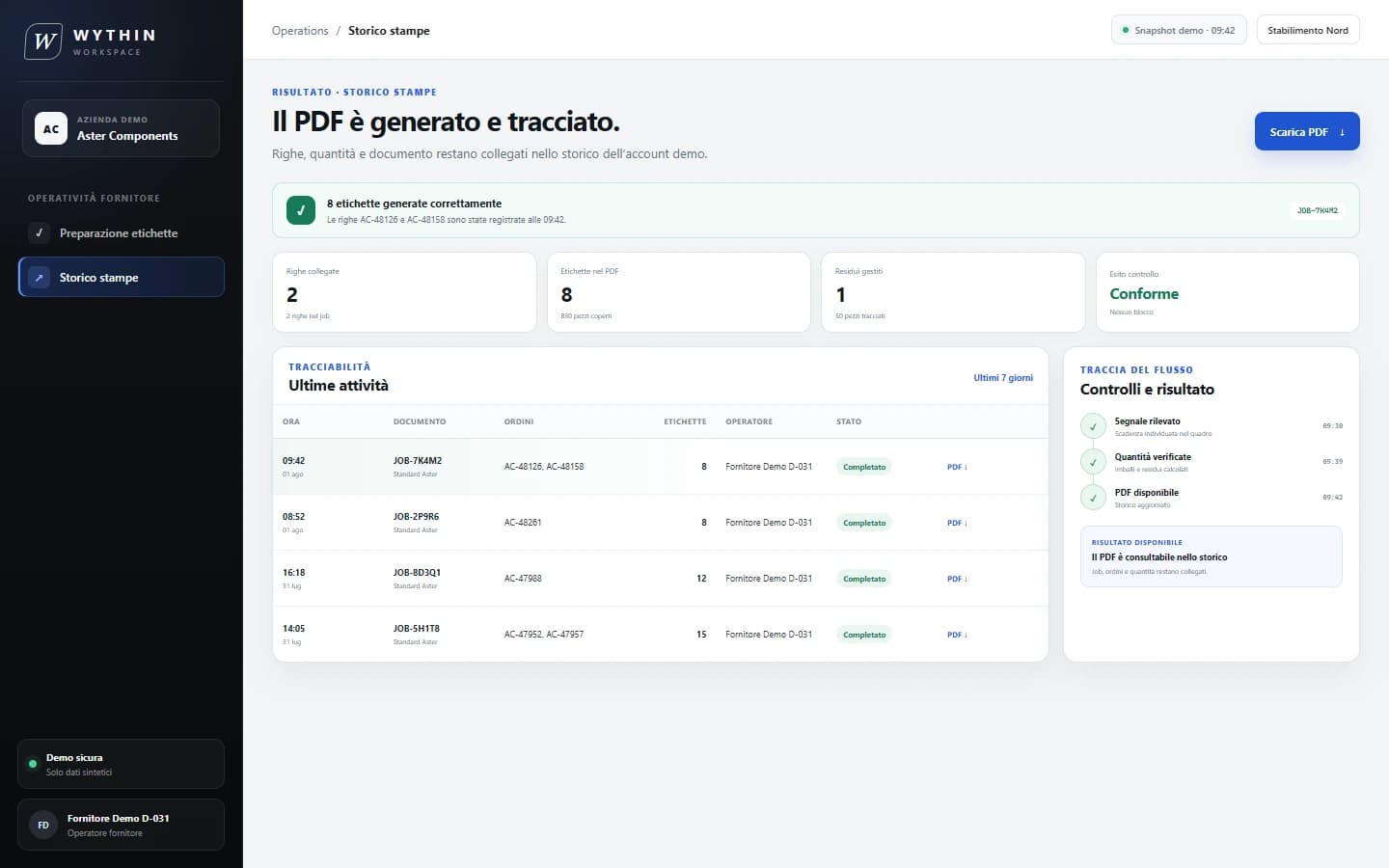
Each generated job preserves its orders, quantities, user, time and status, giving purchasing and receiving a common reference.

Operation Partners print history showing a completed PDF job, orders, quantities and status
Open the full-size screen: Operation Partners — Label job → activity history

What the flow delivers

Suppliers act on the right orders, generate receiving labels and leave an attributable record that buyers can consult.

Scope of this demonstration

Synthetic orders and label jobs. The history records PDF generation, not physical printer activity. A new deployment depends on the client's order sources and label formats.

03 / Internal knowledge & handover platform

CastHub

A one-time handover loses its value when the explanation cannot be revisited. CastHub preserves recorded work and its spoken context as a searchable departmental resource.

Who uses it
Experienced colleagues, people taking over a role and authorized department members.
My role
Founder & Solution Lead — process analysis, requirements, application design and delivery, with AI-assisted development, human review and testing.

Capture → recorded procedure and transcript

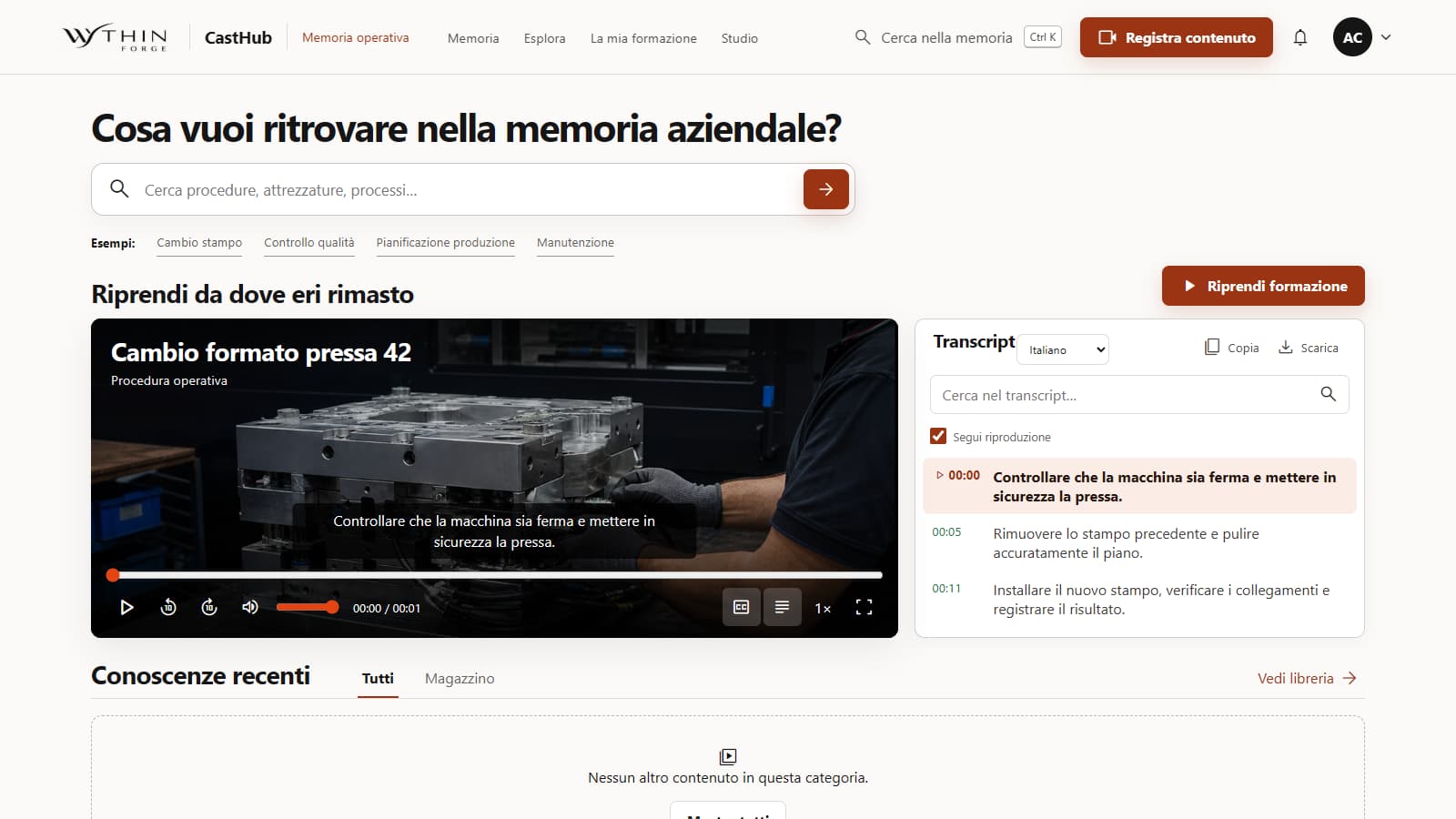
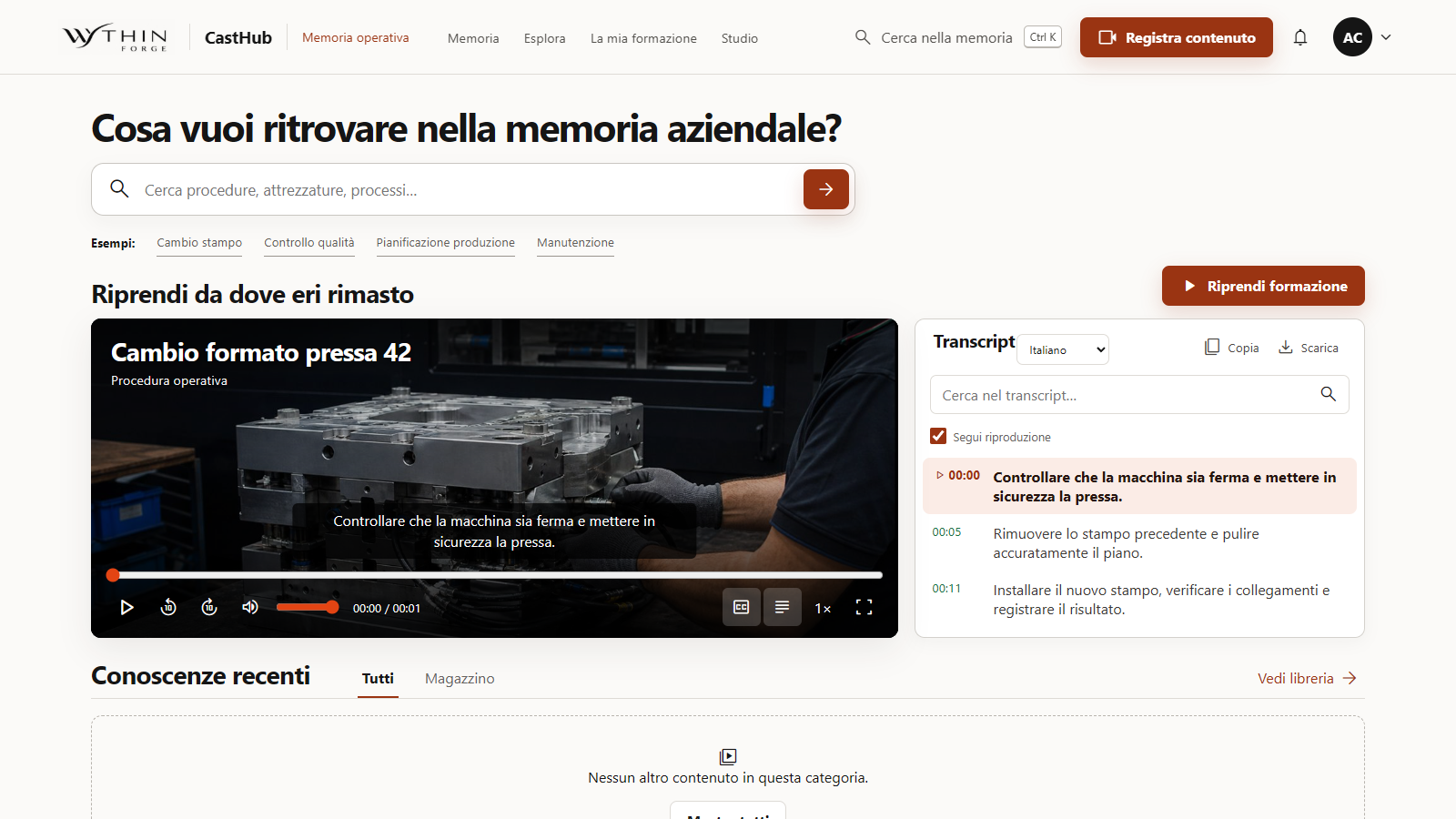
The experienced colleague records the activity and explanation, including multiple screens when needed. The recording stays connected to a searchable transcript.

CastHub operational-memory home with a synthetic procedure video and its synchronized transcript
Open the full-size screen: CastHub — Capture → recorded procedure and transcript

Department library → search

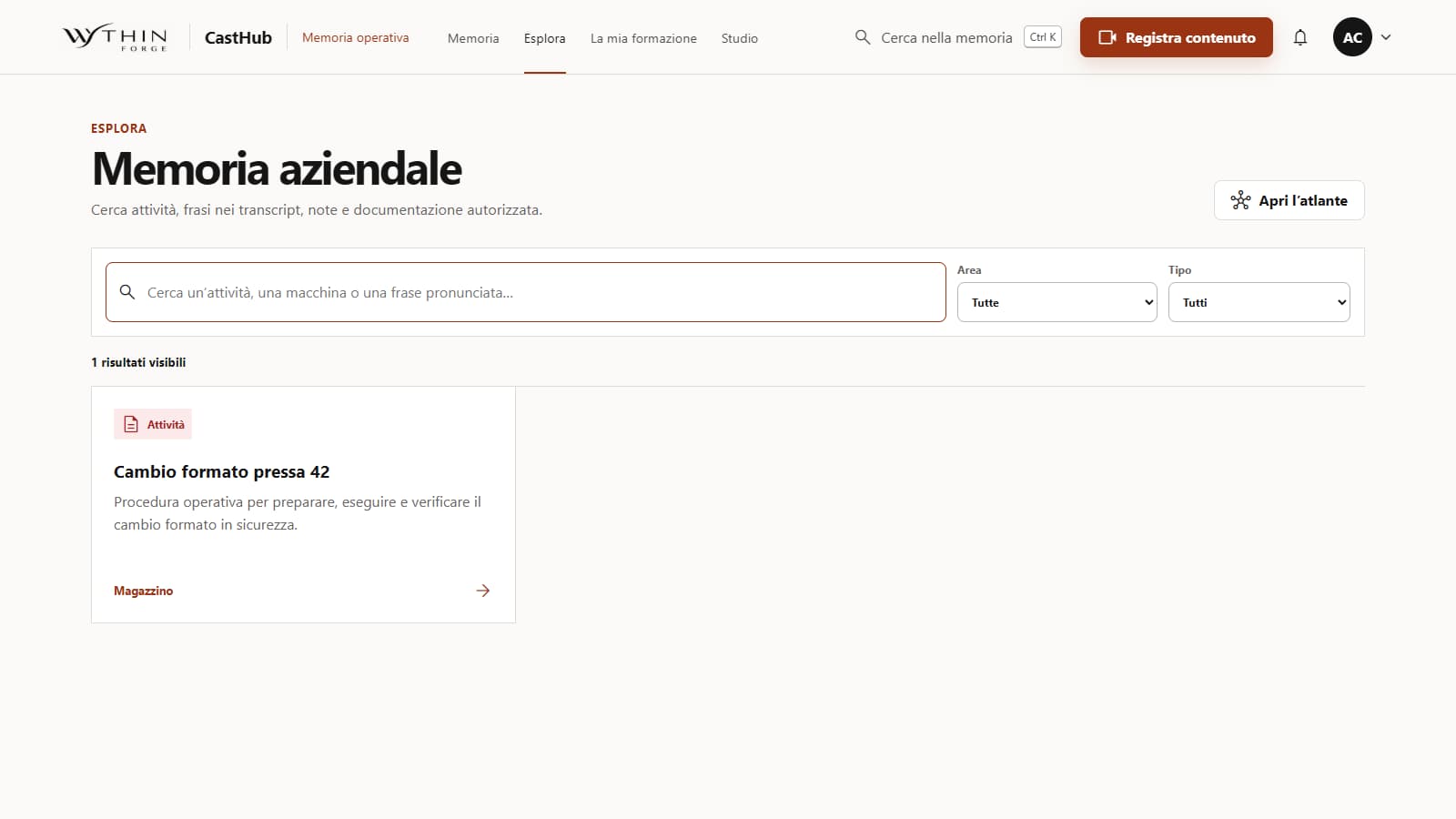
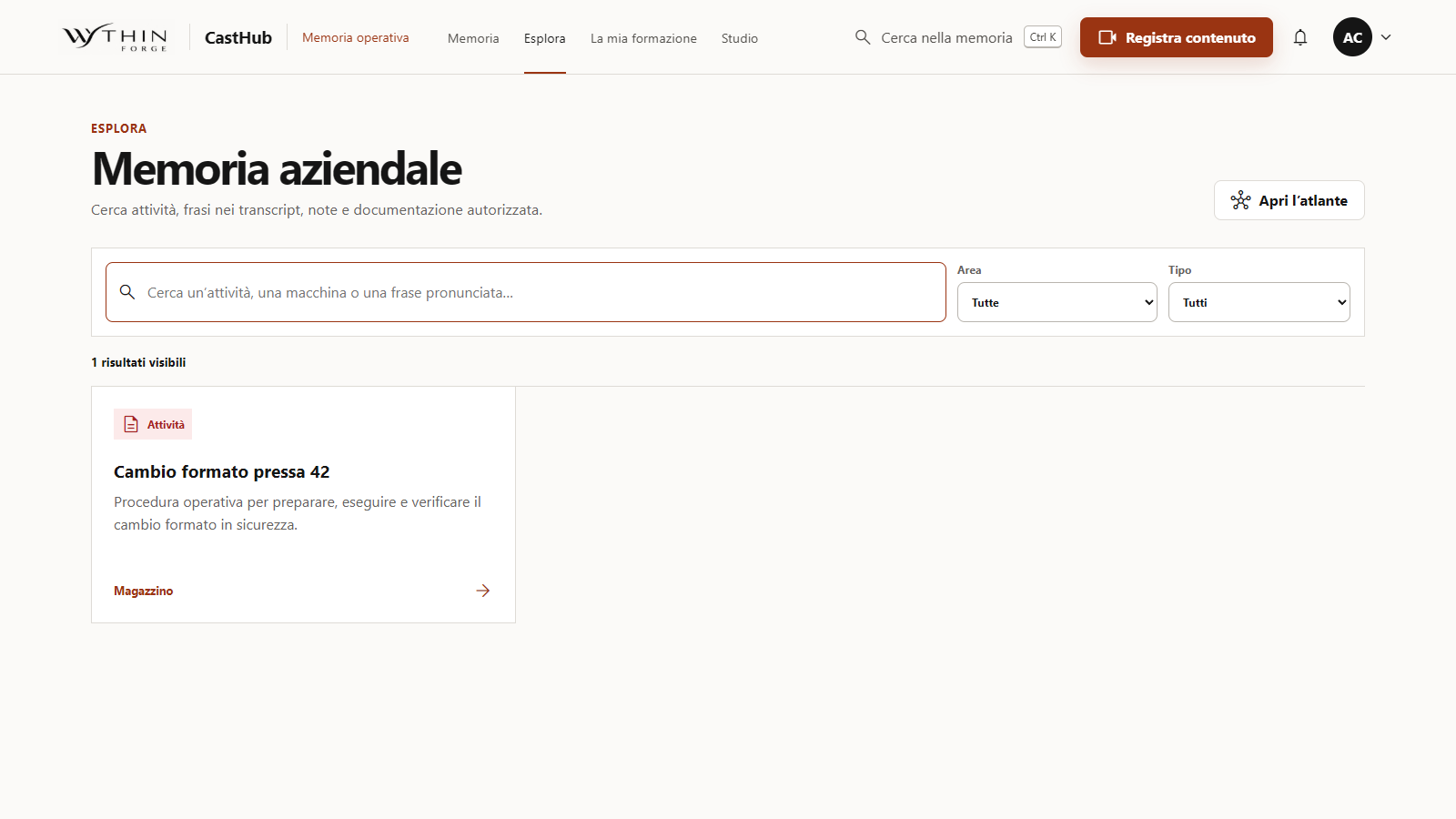
Recordings and procedures are organized by department for authorized colleagues. Search and filters help the next person find the relevant activity.

CastHub local knowledge search showing one synthetic machine procedure and filters by area and type
Open the full-size screen: CastHub — Department library → search

Find a passage → revisit the work

The viewer consults the explanation alongside the recording and returns to the relevant passage. The knowledge remains available beyond the original handover.

CastHub operational-memory home with a synthetic procedure video and its synchronized transcript
Open the full-size screen: CastHub — Find a passage → revisit the work

What the flow delivers

A colleague can replay the work, find a passage in the explanation and recover a procedure after responsibilities change.

Scope of this demonstration

Authorized local demo with synthetic content, designed for a company network. A future company AI connection is not presented as a delivered feature.

One accountable path to a working release.

We agree on what the application must accomplish and review working software against those criteria. I lead scope, communication and delivery.

  1. Understand

    Map the problem, users, current tools and exceptions.

  2. Define

    Agree on requirements, boundaries and acceptance criteria.

  3. Build

    Develop the application around its roles, data and workflows.

  4. Preview

    Review a working version and collect specific feedback.

  5. Verify

    Check the agreed flows, permissions and important edge cases.

  6. Release

    Launch with handover instructions and a clear next step.

Start with a useful first release.

A standalone application, the first module of a larger system or a focused improvement to existing software. Share the problem through Upwork and we can define a delivery you can verify.

Discuss your project on Upwork